1. AI Clear Voice in Sound Recorder
Recording a meeting is easy. Making sense of it afterward? That’s where most apps fall short. ColorOS 16 fixes this by keeping the entire transcription process inside the native Sound Recorder app — no more juggling between apps.
The real star is AI Clear Voice, which identifies and visually separates different speakers in the transcript. Instead of a wall of text, you get a clean, conversational layout. You can even rename the generic “Speaker 1” labels to actual names, turning raw audio into organized meeting minutes with minimal effort.
2. AI Portrait Glow in Photos
Dim lighting has always been the enemy of a good selfie. AI Portrait Glow, tucked inside the Photos app’s AI Editor suite, tackles this head-on. It isolates faces in poorly lit shots, brightens them, and rebalances colors — all without touching the rest of the image.
It’s a one-tap fix that gets you 90% of the way to a polished photo. Not a replacement for manual editing, but for casual photographers and content creators who need a quick touch-up before hitting post, it’s surprisingly capable.
3. AI Mind Space
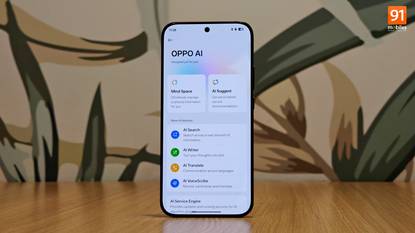
If your camera roll is basically a chaotic scrapbook of screenshots, AI Mind Space was built for you. Save screenshots of articles, recipes, or travel plans to a dedicated space, and OPPO’s AI does the heavy lifting — extracting dates, locations, and key details automatically.
It can even prompt you to add extracted events straight to your calendar. The result is a clean, searchable hub for your ideas and plans, completely separate from your everyday photos.
4. AI Mind Map & System-Wide Writer
Building on the AI Writer introduced in ColorOS 15, the Notes app now includes a Mind Map generator. Toss in a few headings or bullet points, and the AI structures them into a visual mind map—handy for brainstorming or breaking down complex projects.
The bigger upgrade, though, is that AI Writer has gone system-wide. You can now use it to draft captions directly in third-party apps like Instagram and X. That’s a meaningful step up from being locked inside system apps, making it a genuinely versatile writing assistant.
5. AI Dynamic Depth Wallpapers
This one’s more about fun than productivity. AI Dynamic Depth lets you turn any video or Live Photo into a motion lockscreen wallpaper. The AI identifies the main subject and keeps it in the foreground, so your clock and widgets appear to sit behind it — a clean depth effect that looks sharp.
Pair that with AI Text Generation, which auto-generates a short, style-matched caption for your lockscreen, and you’ve got a level of personalization that rivals what Samsung’s Galaxy AI offers. Just keep in mind live wallpapers do eat into battery life a bit more than static ones.
ColorOS 16 doesn’t reinvent the wheel, but it does show OPPO knows where to put its effort. These five features make the daily grind a little smoother—and that’s what good software is supposed to do.
Follow us on Bluesky , LinkedIn , and X to Get Instant Updates