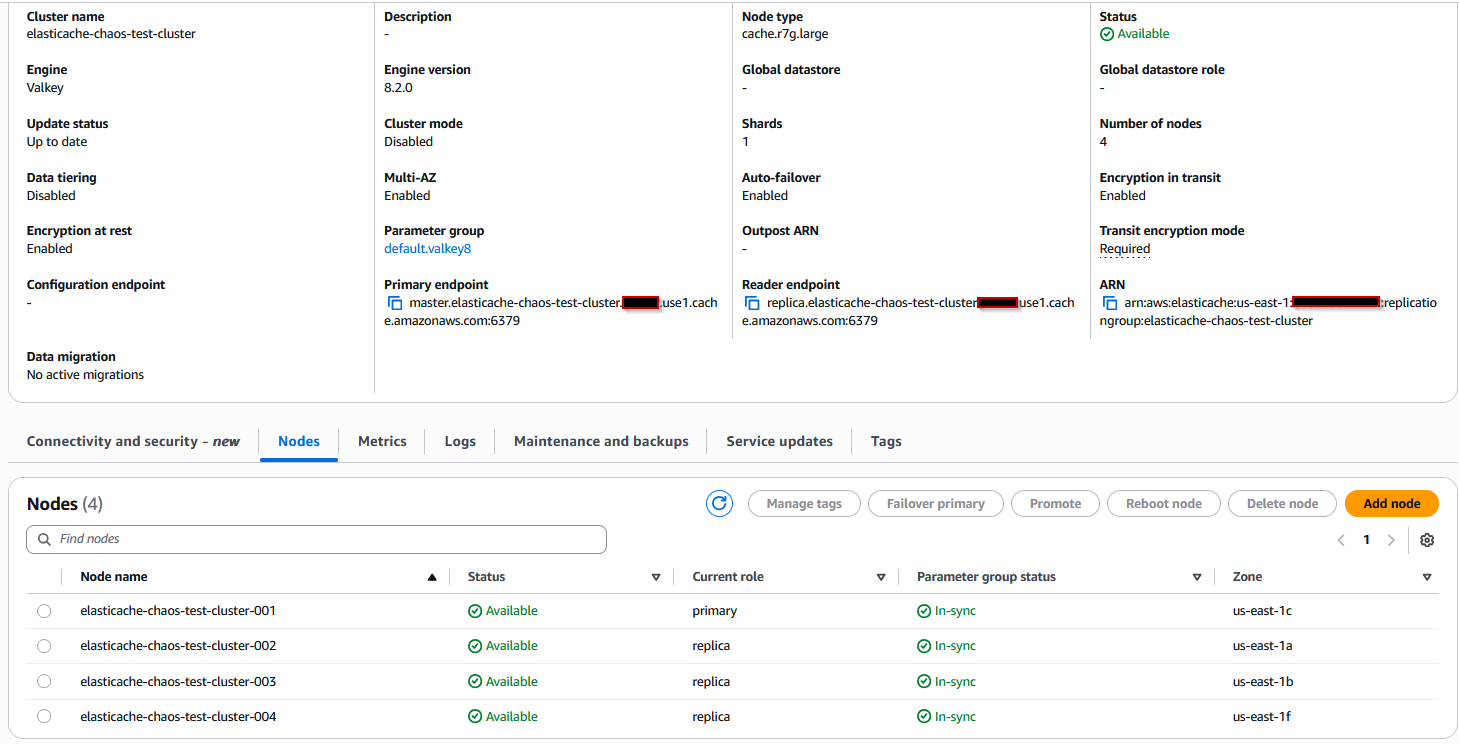
Proactively testing your application’s resilience is crucial for production readiness. Using AWS Fault Injection Service (FIS), you can simulate a primary node failure in Amazon ElastiCache to verify your application handles automatic failover without manual intervention.
This guide walks through configuring and running a failover experiment on an ElastiCache for Redis cluster. AWS recommends using a non-production cluster with cluster mode disabled to more easily observe role changes.
Prerequisites
- An ElastiCache for Redis cluster (non-production recommended)
- Cluster mode disabled for clear primary/replica observation
- At least one read replica configured
- CloudWatch log group for experiment logging
Step 1: Create the Experiment Template
Navigate to the AWS FIS console and create a new experiment template:
- Choose Create experiment template
- Under Actions, add the action
aws:elasticache:interrupt-cluster-az-power - Configure the target to select your ElastiCache cluster by resource ID or tag
- Under Logging configuration, point to a CloudWatch log group (create new if needed)
- Note the IAM role ARN FIS generates automatically
During setup, FIS provides a sample IAM policy JSON for CloudWatch logging. Copy this for the next step.
Step 2: Update IAM Role Permissions
The auto-generated IAM role lacks CloudWatch write permissions. Fix this manually:
- Open the IAM console
- Find the role created by FIS (check the ARN from Step 1)
- Click Add permissions → Create inline policy
- Paste the CloudWatch logging policy JSON from the FIS template creation screen
- Name the policy (e.g.,
FIS-CloudWatch-Logs) and save
This grants the role logs:CreateLogStream and logs:PutLogEvents permissions on your specified log group.
Step 3: Run the Experiment
Return to the AWS FIS console:
- Select your experiment template
- Click Start experiment
- Confirm the action when prompted
- Monitor the state change to
Running
The experiment executes immediately. You can view real-time logs via the CloudWatch log destination link in the experiment details.
Step 4: Monitor and Validate Resilience
The primary node will fail over, and a replica will be promoted. This typically completes in 5-15 seconds. Validate the following:
ElastiCache Events: In the ElastiCache console, check for:
Failover from master node [node-id] to replica node [node-id] completedRecovering cache nodes [node-id]Finished recovery for cache nodes [node-id]
Application Behavior: A well-architected application should experience brief connection errors during failover before automatically reconnecting. Monitor for:
- Temporary increase in cache misses (expected)
- Graceful fallback to primary database
- No cascading performance failures downstream
Performance Metrics: Measure application response times. Temporary latency spikes during failover are normal, but sustained high latency indicates issues with connection pooling or retry logic. Consult the official ElastiCache best practices documentation for tuning guidance.
Simulating failures with FIS moves resilience from theory to testable reality. Instead of discovering connection handling bugs during an actual outage, you identify and fix them under controlled conditions. Regular chaos engineering exercises ensure your caching layer is genuinely highly available, not just theoretically resilient.
Cleanup
After testing, delete the FIS experiment template and its associated IAM role to maintain a clean AWS environment and avoid unnecessary charges.
Follow Hashlytics on Bluesky, LinkedIn , Telegram and X to Get Instant Updates