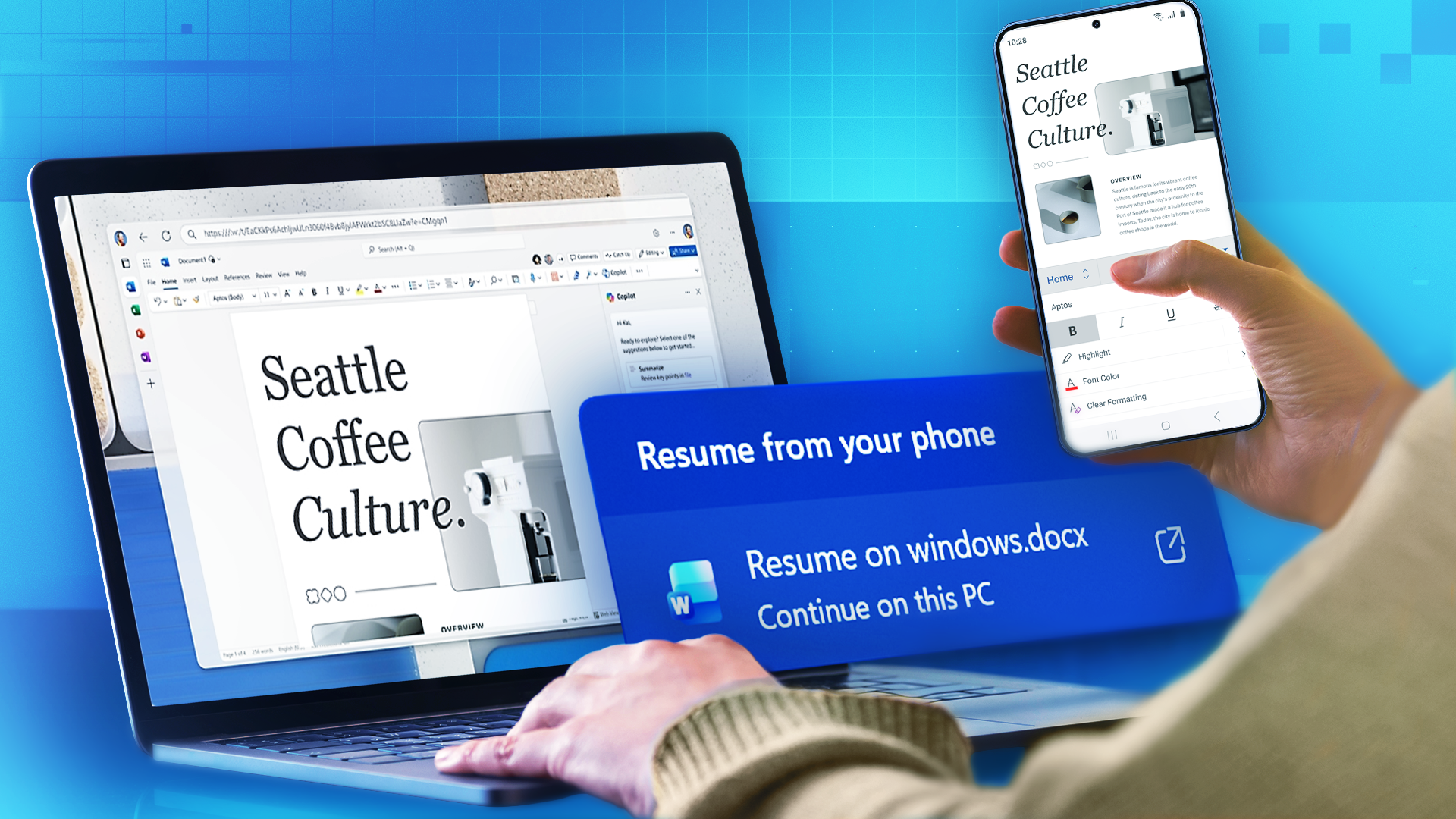
Microsoft has implemented a cross-device continuity feature named “Resume” in Windows 11, designed to allow users to transfer active tasks from their Android phones to their PCs. The feature, which operates through the Phone Link application, currently faces significant limitations in device and application support when compared to established ecosystem features like Apple’s Handoff.
How the Feature Works
The Resume feature is part of Microsoft’s broader effort to integrate Android devices with the Windows 11 ecosystem. To function, users must have a compatible Windows 11 PC and an Android phone. When a user is working on a supported application on their phone, the Resume feature is designed to present an icon in the Windows taskbar, allowing the user to click and continue their work seamlessly on the desktop. The process relies on the Phone Link app on the PC and the Link to Windows app on the Android device being connected.
Current Limitations
The functionality of Resume is currently restricted by specific hardware and software requirements. According to reports, the feature is in an early stage of development and its usability is confined to a narrow set of conditions.
- Operating Systems: A PC running Windows 11 and a smartphone running Android version 10 or later are required.
- Device Manufacturers: Phone support is limited to select models from Honor, Oppo, Samsung, Vivo, and Xiaomi. Notably, among these brands, only Samsung has an official retail presence for its phones in the United States.
- Supported Applications: In its current form, Resume’s primary support is for Microsoft’s own first-party applications, including Word, Excel, and PowerPoint presentations. Support for popular third-party applications like Google Chrome, Adobe Creative Cloud, or various streaming services is not yet available.
How to Set Up and Use Resume
Prerequisites Check: Before attempting setup, verify your Android phone is from Honor, Oppo, Samsung, Vivo, or Xiaomi and running Android 10 or later. Confirm your PC is on Windows 11 by going to Settings → System → About.
Step 1: Install Required Apps
- On your Windows 11 PC, open the Microsoft Store and search for “Phone Link.” Install or update to the latest version.
- On your Android phone, install “Link to Windows” from the Google Play Store (pre-installed on Samsung devices).
Step 2: Connect Your Devices
- Open Phone Link on your PC and sign in with your Microsoft account.
- Select “Android” as your phone type and follow the pairing instructions.
- On your phone, open Link to Windows and scan the QR code displayed on your PC, or sign in with the same Microsoft account.
- Grant all requested permissions on your phone, including notifications, contacts, messages, and phone calls access.
Step 3: Enable Resume Functionality
- In Phone Link on your PC, click the gear icon (Settings) in the top-right corner.
- Navigate to Features and ensure “Resume” is toggled on (if available).
- On your Android phone, open Link to Windows settings and verify the connection is active.
Using Resume:
- Open a supported Microsoft app (Word, Excel, or PowerPoint) on your Android phone and begin working on a document.
- Look for a Resume icon to appear in your Windows 11 taskbar near the system tray.
- Click the Resume icon to open the document on your PC and continue working seamlessly.
- Your work progress will sync, allowing you to pick up exactly where you left off on your phone.
Troubleshooting: If the Resume icon doesn’t appear, ensure both devices are on the same Wi-Fi network, Phone Link is running on your PC, and Link to Windows is active on your phone. Restart both apps if necessary. Note that the feature may not be available on all device models even from supported manufacturers.
Microsoft’s Resume feature enters a market where Apple’s Handoff has long provided a similar, more extensive capability across its ecosystem of iPhones, iPads, and Macs. The primary challenge for Microsoft is the fragmented nature of the Android hardware market. While Apple develops for a closed ecosystem of its own devices, Microsoft must ensure compatibility across a wide variety of hardware and software customizations from different manufacturers, which can complicate development and slow down feature expansion.
This new feature also coexists with an older, similar function within Phone Link called “Task Continuity.” Task Continuity supports different content types, such as website URLs and music tracks, but presents them in a separate notification panel. Reports indicate Microsoft is encouraging developers to integrate with the newer Resume system, suggesting that Task Continuity may eventually be phased out.
Future Development
The timeline for expanding Resume’s capabilities remains unclear. Microsoft has not provided a public roadmap detailing when support will be added for more Android device manufacturers or for popular third-party applications. It is also unknown how long the older Task Continuity feature will remain active or how the transition to the new system will be managed for users and developers.
For the Resume feature to become a practical alternative to Apple’s Handoff, Microsoft will need to broaden support to include more phone brands and, critically, a wider range of first-party and third-party applications. The success of the feature will likely depend on how quickly and effectively Microsoft can overcome the technical hurdles of the diverse Android ecosystem.
Follow us on Bluesky , LinkedIn , and X to Get Instant Updates