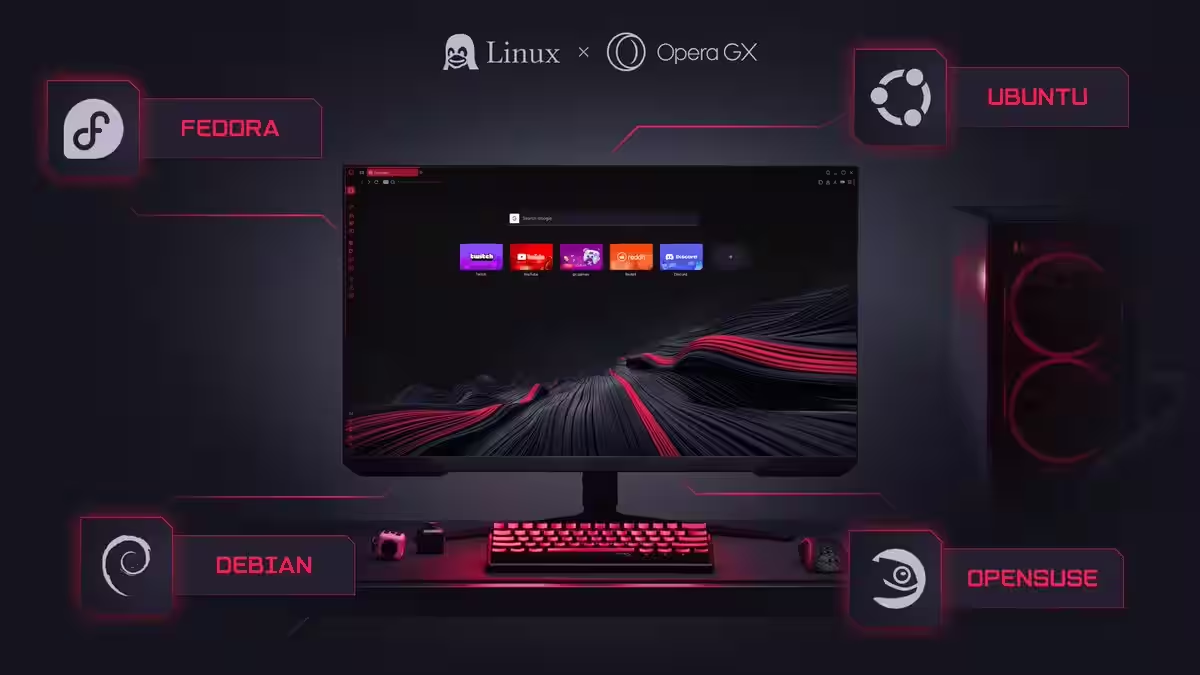
Opera GX officially launched on Linux on March 19, 2026, delivering the gaming-focused browser to the platform seven years after its 2019 Windows debut. The move answers thousands of community requests across Reddit gaming subreddits, Discord servers, and Linux forums where gamers have been asking for native support since the browser launched — particularly as Linux gaming momentum has accelerated through Proton, Steam Deck, and growing frustration with Windows 11’s AI integration.
What changed most: Linux gamers can now run Opera GX’s resource management tools, Discord/Twitch sidebar integrations, and customization features natively instead of relying on workarounds or switching to Windows for the gaming browser experience.
Quick Facts
- Platforms: Debian, Ubuntu, Fedora, openSUSE-based distributions
- Release: March 19, 2026 (confirmed)
- Price: Free
- Developer: Opera Software
- Package Formats: .deb, .rpm (Flatpak in development)
- User Base: 34 million+ worldwide across all platforms
What You’re Getting
According to Opera’s official announcement, the Linux version includes feature parity with Windows and macOS builds rather than a stripped-down port. GX Control allows users to set hard limits on CPU, RAM, and network bandwidth consumption — critical for keeping games prioritized when browsers typically eat system resources. The Hot Tabs Killer automatically slashes resource-hogging background tabs to prevent performance degradation during gaming sessions.
Built-in sidebar integrations bring Twitch and Discord directly into the browser interface, eliminating tab-switching during streams or while coordinating with teammates. Opera Product Director Maciej Kocemba stated: Bringing GX to Linux users—who are renowned for the control they like to exert over their tools—means gamers and developers can manage browser resources, customize their setup, and keep their system performing exactly the way they want.
The customization suite matches Opera GX’s signature visual flexibility. GX Mods lets users modify themes, browser sounds (typing clicks, tab switches, cursor movements), real-time shader effects, app icons, sidebar designs, speed dial layouts, and startup animations. The GX Store provides access to over 10,000 pre-built mods created by the community, many of which Linux users contributed to despite not being able to run the browser natively until now.
Installation and Distribution Support
Opera GX ships as both .deb and .rpm packages targeting the major Linux distribution families. Debian and Ubuntu-based systems can install via the .deb package with standard dpkg or through graphical package managers. Fedora and openSUSE users receive .rpm support for their respective package managers. According to Tom’s Hardware, Opera is actively developing Flatpak support to provide a distribution-agnostic installation method, though no timeline was specified.
The company commits to weekly updates based on feedback from Discord channels, forums, and the bug reporting system. This matches Opera’s broader release cadence but represents unusually aggressive support for a Linux port—most companies treat Linux releases as afterthoughts with sporadic updates. Whether Opera maintains this pace beyond the initial launch window remains to be tested.
Why Now: The Linux Gaming Context
Opera GX’s Linux arrival coincides with broader platform momentum driven by Valve’s Steam Deck success and growing dissatisfaction with Windows 11. Yahoo Tech notes that Zorin OS recently passed 2 million installations, with more than a third of new users coming from Windows. Linux gaming has moved from niche hobby to viable alternative through Proton’s Windows compatibility layer enabling most Steam games to run on Linux without native ports.
Opera’s announcement timing specifically trolled Microsoft, arriving as a quote-tweet of news about Windows 11 integrating Copilot AI into File Explorer. The company wrote: Is this a good time to announce that we are working on the Linux version of Opera GX?
—drawing a clear contrast between Microsoft embedding AI everywhere and Linux’s user-controlled philosophy.
Steam Deck particularly benefits from Opera GX support. According to OC3D, the browser enables Deck users to stream gameplay, coordinate with teams through Discord/Twitch integrations, and manage community activities without leaving the gaming-focused interface Valve built into SteamOS. Before this launch, Deck users relied on Firefox or Chrome builds that lacked gaming-specific optimizations.
Features and Integrations
Beyond resource management, Opera GX includes privacy-focused tooling that aligns with Linux user expectations. Built-in VPN provides no-log browsing through Opera’s servers in multiple countries. Ad and tracker blockers reduce page weight and eliminate surveillance scripts without requiring extensions. According to PC Guide, these privacy features address the privacy-first mindset
that defines Linux communities, where users often choose the platform specifically to escape Windows telemetry.
Gaming-specific features extend beyond performance controls. The browser includes dedicated gaming news feeds, game release calendars, and deals aggregation. While these content features lean promotional, they centralize information streams gamers typically track across multiple sites and platforms. Discord integration goes beyond simple embedding—it includes notification support and voice channel controls directly from the sidebar.
Razer Chroma lighting integration exists on Windows but faces implementation challenges on Linux. According to Windows Forum analysis, RGB ecosystems on Linux remain fragmented across multiple vendor tooling and community drivers rather than unified SDKs. Full lighting synchronization may require community-developed solutions rather than official Opera support, creating potential feature disparity compared to Windows.
Community Reactions: Mixed But Interested
GamingOnLinux coverage reflected Linux gaming community ambivalence about proprietary software. Site owner Liam Dawe stated: The ‘gaming browser’ Opera GX is now available for Linux, although I’m still not sure why you would want to actually use it.
However, he acknowledged that options are nice and every app that’s supported on Linux is one less reason for someone to stick with Windows.
Community forum discussions on GamingOnLinux raised legitimate concerns about Opera’s ownership structure and data practices. Several users referenced investigations into Opera’s loan app portfolio that raised privacy concerns, with one commenter stating they wouldn’t actively install spyware like OperaGX
on Linux systems they moved to specifically to escape Windows tracking.
Others reminisced about Opera’s pre-Chromium days when the browser used its own Presto engine and pioneered features like mouse gestures, tabbed browsing, and speed dial. The current Chromium-based Opera GX represents a fundamentally different product from that legacy—essentially a skinned Chrome with gaming-focused additions rather than an independent browser engine.
More pragmatic voices noted that Opera GX fills a genuine gap for users who value its specific features. Resource limiting proves particularly useful on lower-spec Linux systems or when running games that push hardware limits. The Discord/Twitch integrations provide convenience that Firefox and standard Chrome lack without extension clutter.
Comparison to Other Gaming-Focused Browsers
Opera GX faces limited direct competition in the gaming browser niche. Standard browsers like Firefox, Chrome, and Brave dominate Linux usage but lack gaming-specific optimizations. Firefox remains popular among Linux users due to its open-source nature and pre-installation on many distributions, but it doesn’t offer resource limiting, gaming integrations, or the aesthetic customization Opera GX provides.
Brave’s performance focus and privacy protections appeal to similar user bases, but it lacks gaming-specific features and visual customization. Some users achieve similar functionality through browser extensions and system tools, but Opera GX consolidates everything into a single package with unified configuration.
The lack of competing gaming browsers means Opera GX either fills a real need or creates a category that most Linux gamers don’t care about. Early adoption numbers in coming months will indicate which interpretation is correct. With 34 million worldwide users across all platforms, Opera GX has proven the concept works for some segment of the gaming audience—the question is whether Linux gamers specifically value what it offers.
Technical Considerations and Limitations
Opera GX remains closed-source software built on Chromium’s open-source foundation. According to Phoronix, this proprietary nature conflicts with Linux philosophical preferences for open-source tooling where users can audit code and contribute improvements. Users who moved to Linux specifically for open-source principles may reject Opera GX regardless of features.
Codec support presents another hurdle. GamingOnLinux community members noted that video playback on Linux often requires manual codec installation due to patent restrictions on certain formats. Regular Opera experienced codec issues on distributions like EndeavourOS, with users reporting that snap packages included necessary codecs while traditional packages didn’t. Whether Opera GX’s packages bundle complete codec support or require workarounds hasn’t been fully documented yet.
Wayland compatibility remains unconfirmed. Many modern Linux distributions default to Wayland display servers rather than legacy X11, but Chromium-based browsers sometimes struggle with Wayland-specific features like fractional scaling, clipboard management, and screen sharing. Opera hasn’t specified whether GX includes Wayland-native support or relies on XWayland compatibility layers.
What This Means for Linux Gaming
Opera GX’s arrival signals mainstream recognition of Linux as a viable gaming platform worth dedicated software development. When a 34-million-user browser commits resources to native Linux support with weekly updates and feature parity rather than a minimal port, it validates the platform’s growth trajectory.
The move also creates pressure on other gaming-adjacent software to follow. If Opera successfully captures Linux market share through gaming-specific features, competitors face incentives to match that support rather than ceding an emerging market. Voice chat platforms, streaming tools, and game optimization utilities that already support Windows may accelerate Linux development timelines.
For hardware, Opera GX’s resource management could complement developments like NVIDIA’s DLSS 4.5 AI upscaling technology by ensuring system resources remain available for GPU compute rather than being consumed by background browser processes. This matters particularly on mid-range hardware where every CPU cycle and memory allocation affects game performance.
Getting Started
Linux users can download Opera GX from opera.com/gx/linux in either .deb or .rpm format depending on distribution. Installation follows standard package manager procedures—download the file, double-click to open the package manager, and confirm installation. For users preferring manual installation or troubleshooting, Opera provides a how-to guide linked from the download page.
After installation, enabling GX Control requires navigating to the sidebar and configuring resource limits based on available system specifications and gaming requirements. The Discord and Twitch integrations require account logins through the browser to function, while customization options appear in the GX Mods section of the sidebar.
Whether Opera GX becomes a staple of Linux gaming setups or remains a niche curiosity depends on execution quality and community reception over coming months. The company delivered what thousands requested—now Linux gamers will determine if they actually wanted it.
Follow us on Bluesky, LinkedIn, and X to Get Instant Updates