Apple’s iOS 26.2 update combines critical security patches with several user-facing improvements. The update addresses actively exploited WebKit vulnerabilities and introduces new features for Reminders, AirDrop, and lock screen customization.
The most urgent reason to update is protection against WebKit vulnerabilities that Apple confirms are being actively exploited in the wild. While Apple hasn’t disclosed specific attack details, the severity of the warning indicates these are not theoretical risks—they’re happening now.
| Security Aspect | Details |
|---|---|
| WebKit Exploits | Actively being used in attacks—immediate update recommended |
| Additional Patches | Over 20 security fixes addressing various potential exploits |
| Priority Level | High — install as soon as possible |
Note: This isn’t an optional update. If you use your iPhone for sensitive tasks — banking, email, messaging — update immediately.
New Features
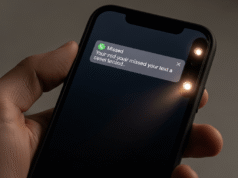
Urgent Reminders: Full-Screen Alerts
The Reminders app now includes an “Urgent” option that transforms passive notifications into impossible-to-ignore alarms:
- Full-screen alert: Takes over your entire display
- Audible sound: Plays an alert tone
- Use case: Time-sensitive tasks, critical deadlines, important appointments
This bridges the gap between standard reminders (easily dismissed) and dedicated alarms, giving users more control over notification importance.
AirDrop PIN Code Sharing
Share files with people outside your contacts using temporary PIN codes:
| Feature | How It Works |
|---|---|
| PIN Code Generation | System creates one-time code for file transfers |
| No Contact Required | Share files without adding people to your contacts |
| 30-Day Memory | Pairings remembered for repeat sharing without re-authentication |
| Privacy Balance | Convenient for temporary sharing while maintaining security |
Lock Screen: Liquid Glass Transparency Control
Users who enabled Apple’s “Liquid Glass” lock screen effect gain more customization:
- Transparency slider: Fine-tune clock visibility against your wallpaper
- Better readability: Adjust for different wallpaper colors and complexity
- Personalization: More control over lock screen aesthetics
App Improvements
Apple Music
- Offline lyrics: View lyrics for downloaded songs without internet connection
- Benefit: Follow along with songs during flights, commutes, or in areas with poor connectivity
Podcasts
- Auto-generated chapters: System creates episode chapters even when creators don’t provide them
- Easier episode links: Simplified sharing and discovery
- Better navigation: Jump to specific segments more easily
Games App
- New sorting tools: Organize and find apps more efficiently
- Better management: Handle larger game libraries
Freeform
- Dynamic tables: Tables automatically resize to accommodate different content types
- Improved versatility: More flexible for various collaboration scenarios
Accessibility Enhancements
Flash for Alerts
The accessibility feature that flashes the camera LED for notifications now includes an option to flash the entire screen instead:
- More noticeable: Entire display flashes for alerts
- Visual impairment support: Stronger visual cue for users who need it
- Flexible options: Choose between LED flash or full-screen flash
Feature Summary
| Category | Key Updates |
|---|---|
| Security | WebKit exploit fixes, 20+ additional patches |
| Productivity | Urgent reminders, improved AirDrop sharing |
| Customization | Liquid Glass transparency controls |
| Media | Offline lyrics, auto-generated podcast chapters |
| Accessibility | Full-screen flash alerts |
| Organization | Games app sorting, Freeform dynamic tables |
How to Update
Install iOS 26.2 immediately to protect against actively exploited vulnerabilities:
- Open the Settings app
- Tap General
- Select Software Update
- Tap Download and Install if the update appears
- Enter your passcode when prompted
- Agree to terms and conditions
- Wait for installation to complete (device will restart)
Pro tip: Connect to Wi-Fi and ensure your battery is above 50% (or plug in your device) before starting the update.
Should You Update?
| User Type | Recommendation |
|---|---|
| Everyone | Yes — critical security fixes require immediate installation |
| Security-Conscious Users | Urgent — actively exploited vulnerabilities demand immediate action |
| Heavy Reminders Users | Yes — Urgent reminder feature significantly improves functionality |
| Frequent AirDrop Users | Yes — PIN code sharing adds convenience and security |
| Lock Screen Customizers | Yes — more control over Liquid Glass appearance |
Known Considerations
Before updating, be aware of typical iOS update considerations:
- Storage space: Ensure you have sufficient free space (typically 3-5GB needed)
- Update time: Installation typically takes 15-30 minutes
- Battery drain: Some users report temporary battery optimization needed after major updates
- App compatibility: Occasionally, third-party apps may need updates for full compatibility
iOS 26.2 is not an optional update. The actively exploited WebKit vulnerabilities alone make this a critical security patch that every iPhone user should install immediately. Delaying this update leaves your device vulnerable to known attacks that are happening right now.
Beyond the security imperative, the update delivers meaningful improvements to daily iPhone use. Urgent reminders solve a real problem for anyone who’s missed important notifications. The AirDrop PIN code feature removes friction from file sharing while maintaining security. Lock screen customization gives users more control over their device’s appearance.
The various app improvements — offline lyrics, auto-generated podcast chapters, better game organization, dynamic Freeform tables — represent thoughtful refinements that enhance existing features rather than radical changes. This is the type of incremental improvement that makes established platforms better over time.
Given the security risks, there’s no reason to delay. Navigate to Settings > General > Software Update and install iOS 26.2 today. Mobile security requires constant vigilance, and this update is a crucial step in staying protected against active threats.
Follow us on Bluesky , LinkedIn , and X to Get Instant Updates