Samsung‘s One UI 8.5 beta is generating excitement by introducing the ability for users to share storage between their devices. This feature marks a significant step towards enhanced connectivity within the Samsung ecosystem. For users eager to experience this innovative functionality, this guide provides instructions on downloading the One UI 8.5 beta.
One UI 8.5 represents more than just an incremental update; it aims to revolutionize how users manage their files and media. The key feature, pooled storage, promises to streamline storage management across compatible Samsung devices. Before proceeding, it’s essential to confirm device eligibility for the beta program.
The One UI 8.5 beta is not universally available to all Samsung devices. While the final release is intended for devices running One UI 8.0, the beta program is currently limited. Eligibility depends on both the device model and geographical location.
Eligible Devices
Currently, the One UI 8.5 beta is exclusive to the Galaxy S25 series. If you own one of the following devices, you are eligible to participate:
- Galaxy S25
- Galaxy S25 Plus
- Galaxy S25 Ultra
Ineligible Devices
Unfortunately, the Galaxy S25 Edge and Galaxy S25 FE models are excluded from the initial beta release. This limitation may be subject to change in future beta iterations, so it’s worth checking for updates periodically.
Geographical Restrictions
Participation in the One UI 8.5 beta program is also subject to geographical limitations. To be eligible, users must reside in one of the following countries:
- United States
- United Kingdom
- South Korea
- India
- Germany
- Poland
If your device and location meet the eligibility criteria, you can proceed with enrolling in the One UI 8.5 beta program. The process involves utilizing the Samsung Members app, which serves as the gateway to Samsung’s beta programs.
Installation and Registration
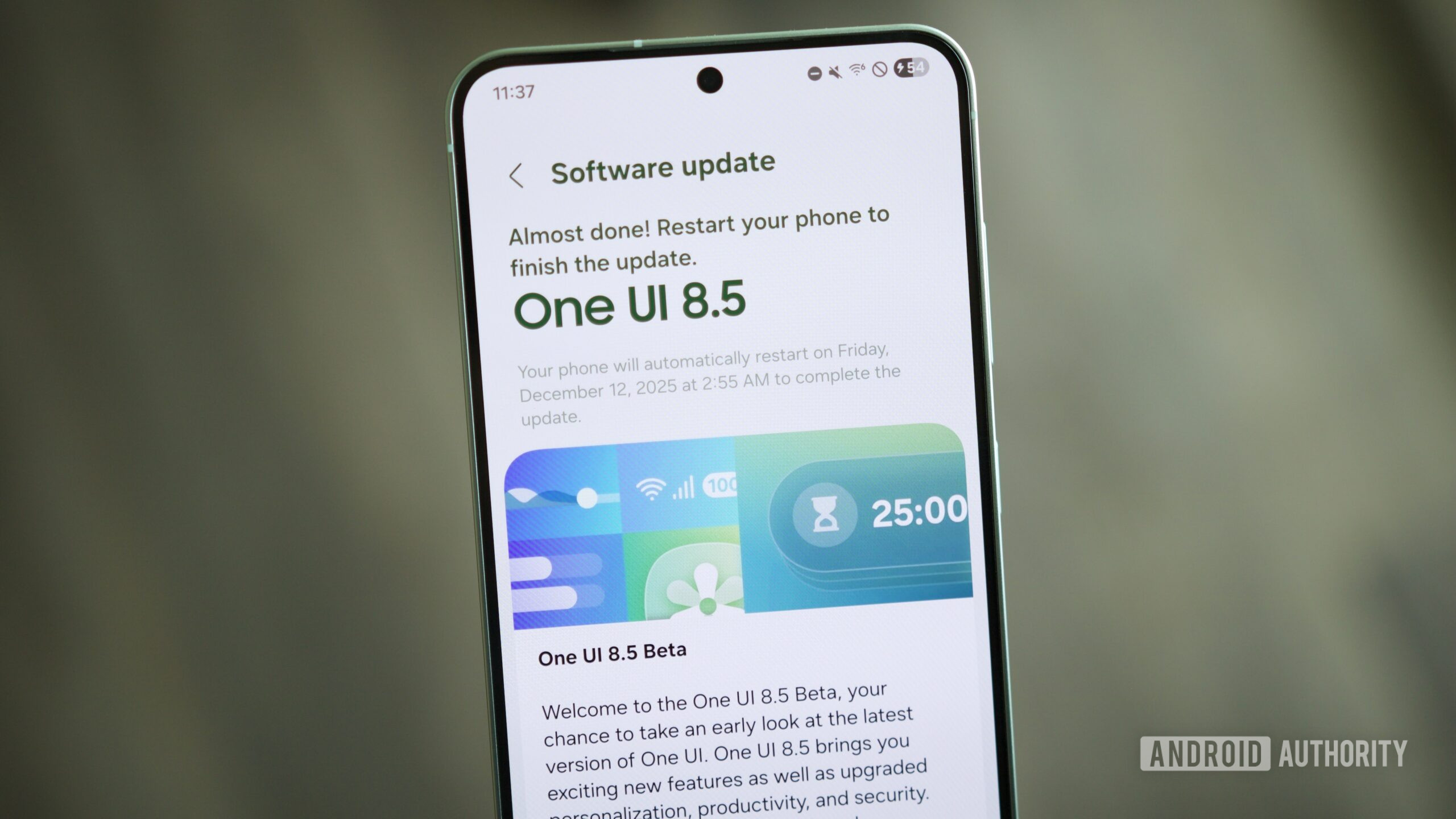
Begin by downloading and installing the Samsung Members app from the Galaxy Store. Once installed, open the app and look for a banner promoting the One UI Beta Program. Tap the banner and follow the on-screen instructions to register your device. This process links your device to the beta program and authorizes it to receive beta updates.
Downloading the Beta
- After successful registration,
- navigate to your phone’s settings menu.
- Go to “Software Update” and
- select “Download and Install.”
The One UI 8.5 beta should appear as an available update. Initiating the download and installation process will update your device to the beta version of One UI 8.5.
Beyond the flagship storage sharing feature, One UI 8.5 is anticipated to introduce a range of enhancements and refinements. While the complete changelog is not yet publicly available, users can expect improvements to the user interface, performance optimizations, and potential integration of new AI and camera functionalities.
It’s crucial to remember that beta software is inherently prone to bugs and instability. Before installing the One UI 8.5 beta, backing up your data is strongly recommended. If you encounter any issues during usage, reporting them through the Samsung Members app will assist the development team in resolving bugs before the final release.
The storage sharing feature in One UI 8.5 offers a preview of a future characterized by seamless device integration within the Samsung ecosystem. This update has the potential to facilitate deeper connectivity between Samsung phones, tablets, and other devices. For ongoing coverage of One UI 8.5 and developments within the Samsung ecosystem, consider following Hashlytics.io.