The update brings two primary features: automated device health monitoring with service booking capabilities, and a one-tap emergency button that shares location data with designated contacts. Both features aim to simplify smart home management while addressing growing safety concerns for users living alone or requiring extra security.
Proactive Device Diagnosis
The new diagnostic feature automatically monitors connected Samsung devices for potential issues, alerting users before problems become serious. When SmartThings detects an issue, the app provides diagnostic information and enables direct booking of service and maintenance appointments through the platform.
This proactive monitoring capability is currently available only in South Korea and Australia, with Samsung indicating plans for broader geographic expansion. The feature requires connecting Samsung appliances and devices to the SmartThings app to function.
SmartThings Safe Emergency Button
The update adds a dedicated Safe button within the SmartThings app that users can activate during emergencies. Pressing the button immediately sends the user’s real-time location and timestamp to family members or contacts registered in the app’s “My Places” feature.
Recipients receive alert notifications on their smartphones, tablets, Samsung TVs, or Family Hub refrigerators, enabling rapid response to emergency situations. Samsung designed the feature particularly for individuals living alone, elderly users, or anyone requiring additional safety measures.
The SmartThings Safe feature is available immediately in the latest app version, with users able to place a shortcut button on their device home screens for faster access during emergencies.
Additional Update Features
Beyond the headline features, version 1.8.41.23 includes enhanced integration with Samsung’s after-sales services. Users can now view repair history directly in the SmartThings app and request service through Samsung’s website with their devices linked to their accounts.
The update follows Samsung’s September 2025 introduction of SmartThings Safe Button (Free), which provides similar emergency alert functionality with GPS location sharing. The latest version expands on those capabilities with the proactive diagnostics addition.
Home-to-Car Integration Context
While not part of this specific update, Samsung previously announced Home-to-Car functionality through SmartThings in collaboration with Hyundai Motor Group. That feature, rolled out in South Korea in September 2025, allows users to control select Hyundai, Kia, and Genesis vehicles through the SmartThings app, including remote engine start, door locks, climate control, and EV charging management.
The automotive integration is expanding to additional markets, with the United States identified as the next priority region for rollout.
Matter 1.5 Camera Support
In parallel updates announced December 18, 2025, SmartThings became the first platform to support Matter 1.5 compatible cameras as a fully integrated device category. The update enables live streaming, clip storage, two-way communication, motion detection, and privacy zones for cameras from Aqara, Eve, and Xthings.
Mark Benson, Head of Samsung SmartThings, stated that the Matter 1.5 leadership “underscores our commitment to delivering the best possible experience for our users” and allows SmartThings to build “one of the largest and fastest-growing libraries of supported and certified Matter devices.”
Availability and Installation
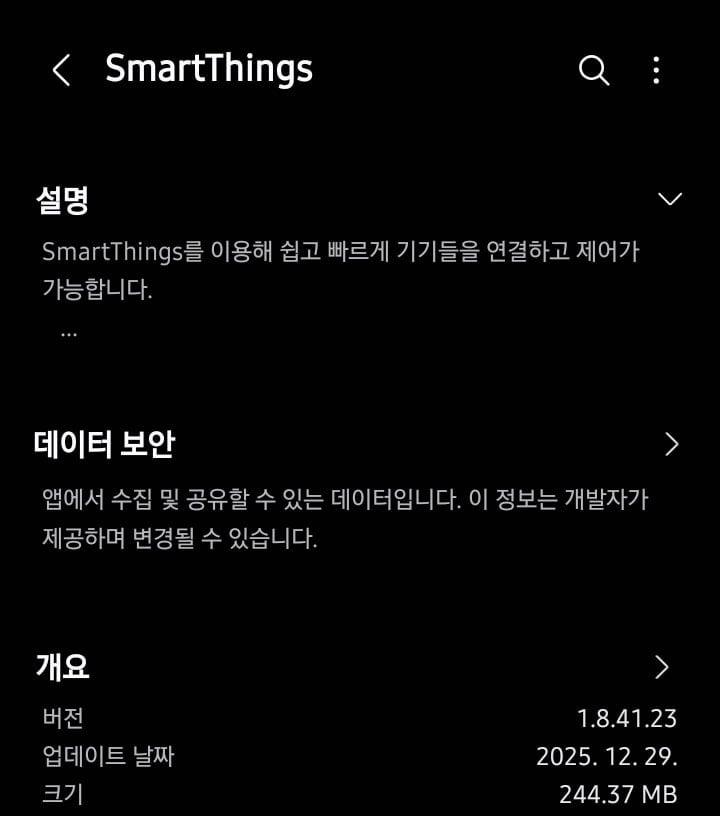
SmartThings version 1.8.41.23 is available now through the Galaxy Store for Samsung devices. Users can check for the update by opening the Galaxy Store, tapping the Menu option, and navigating to Updates. The installation package is approximately 230MB.
The proactive device diagnosis feature currently functions only in South Korea and Australia, though Samsung has not provided a timeline for expansion to additional regions. The SmartThings Safe emergency button is available globally where the SmartThings app is supported.
For additional information about SmartThings features and updates, users can visit the official Samsung SmartThings website or follow announcements through the Samsung Newsroom.
Follow us on Bluesky, LinkedIn, and X to Get Instant Updates