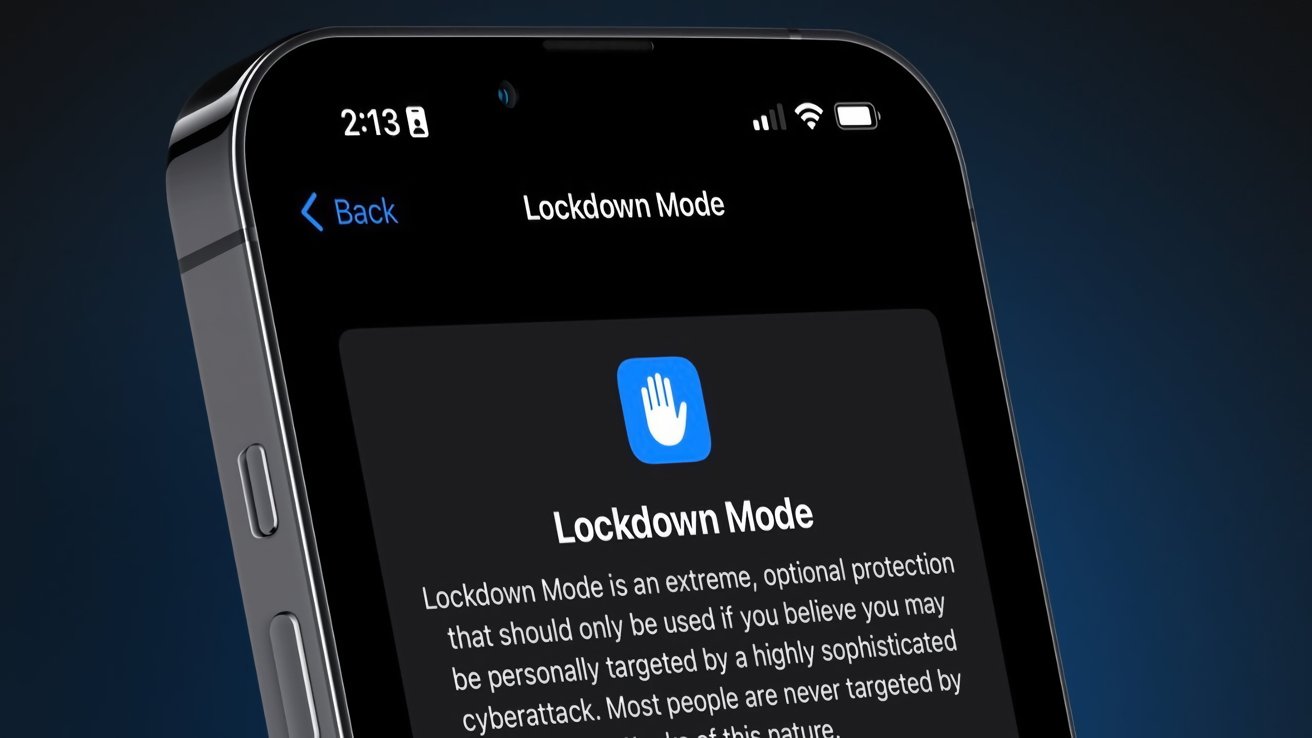
The Federal Bureau of Investigation (FBI) was unable to extract data from a seized iPhone belonging to a Washington Post reporter, according to court documents filed in . The device was protected by Apple’s Lockdown Mode, a high-security feature that successfully thwarted the bureau’s forensic tools, highlighting the ongoing conflict between user privacy and law enforcement access.
On , FBI agents raided the home of Washington Post reporter Hannah Natanson as part of an investigation into alleged leaks of classified information by a government contractor. Agents seized several electronic devices, including an iPhone 13 and a MacBook Pro. According to a court filing from , the FBI’s Computer Analysis Response Team (CART) was unable to access the iPhone’s data. The filing explicitly stated, Because the iPhone was in Lockdown mode, CART could not extract that device.
The government is currently opposing the return of Natanson’s devices, despite a federal judge temporarily blocking the agency from reviewing the seized materials.
Lockdown Mode is an optional, extreme security setting introduced by Apple in iOS 16, designed for users who may be targeted by sophisticated cyberattacks, such as journalists or activists. When activated, it severely restricts the device’s functionality to reduce its attack surface. Key limitations include:
- Blocking most message attachment types other than images.
- Disabling certain complex web technologies like just-in-time (JIT) JavaScript compilation.
- Blocking incoming invitations and FaceTime calls from unknown contacts.
- Preventing wired connections to computers or accessories while the iPhone is locked.
This last feature is critical, as it directly counters forensic tools like GrayKey, which often rely on a physical connection to exploit vulnerabilities and extract data. GrayKey, a tool marketed to law enforcement by Magnet Forensics, has historically engaged in a cat-and-mouse game with Apple, with its effectiveness waning as Apple patches security holes in new iOS updates. While Lockdown Mode was the primary defense cited, users can further enhance security with Advanced Data Protection for iCloud, which extends end-to-end encryption to most iCloud data, including backups, photos, and notes. This ensures that Apple does not hold the encryption keys and cannot access the data, even with a warrant.
The incident underscores the escalating technological arms race between device manufacturers focused on user privacy and government agencies seeking lawful access to encrypted data. The FBI’s inability to access the iPhone demonstrates the real-world effectiveness of Apple’s security measures. In its court filing, the FBI confirmed its specialists were blocked, providing a rare official acknowledgment of the strength of consumer-level security features against government-grade forensic tools. The Washington Post has condemned the seizure, stating it chills speech, cripples reporting, and inflicts irreparable harm.
It remains unconfirmed whether the FBI agents specifically used the GrayKey forensic tool or other methods in their attempt to access the iPhone. The specific version of iOS running on the device has not been publicly disclosed. Furthermore, the final outcome of the legal battle over the seized devices is still pending, as a federal judge has only temporarily halted the government’s review of the data.
The legal proceedings between the Washington Post and the U.S. government will continue, with a hearing scheduled for early next month to determine if the seized devices must be returned. This case is expected to set a significant precedent regarding press freedom and the extent of law enforcement’s ability to access journalists’ data. Concurrently, Apple is likely to continue strengthening Lockdown Mode and other security features in future iOS updates, while forensic technology companies will work to find new vulnerabilities to exploit.
Users concerned about sophisticated digital threats can take several steps to secure their Apple devices:
- Enable Lockdown Mode: For users who believe they may be targeted, this feature can be activated in Settings > Privacy & Security > Lockdown Mode.
- Activate Advanced Data Protection: To secure iCloud data with end-to-end encryption, enable this feature in Settings > [Your Name] > iCloud > Advanced Data Protection.
- Keep Devices Updated: Regularly installing the latest iOS, iPadOS, and macOS updates is crucial, as they contain patches for known security vulnerabilities.
- Use Strong Passcodes: A complex alphanumeric passcode is significantly harder to break than a simple four or six-digit PIN.
Follow us on Bluesky , LinkedIn , and X to Get Instant Updates