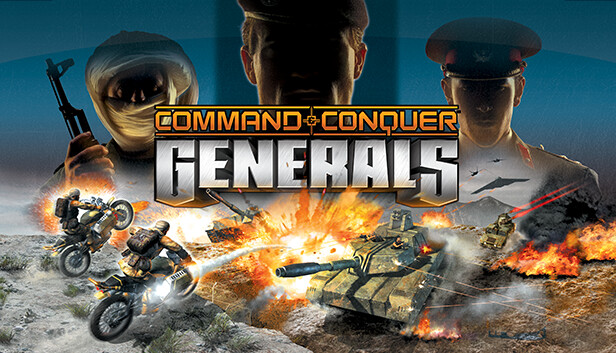
Generals abandoned the traditional GDI vs. NOD conflict for a contemporary global setting featuring three distinct factions:
| Faction | Playstyle | Key Strengths |
|---|---|---|
| USA | Technological superiority | Advanced units, air power, laser technology, high-tech defensive systems |
| China | Numerical superiority | Mass infantry, tank rushes, nuclear weapons, cost-effective production |
| GLA | Guerrilla warfare | Stealth tactics, suicide units, ambush strategies, unconventional weapons |
Why Asymmetry Matters
Unlike RTS games where factions are cosmetic variations of the same units, Generals forced players to master fundamentally different approaches:
- No universal strategy: Tactics effective for USA fail spectacularly with GLA
- Counter-play depth: Each faction’s weaknesses require different exploitation methods
- Replayability: Learning a new faction feels like playing a different game
- Strategic variety: Matchups create distinct gameplay dynamics
Core Features
Generals System
Each faction offers multiple “generals” (specialized commanders) with unique bonuses and unit focuses:
- USA Air Force General: Enhanced aircraft and stealth capabilities
- USA Superweapon General: Access to powerful laser weapons and particle cannons
- China Tank General: Emphasis on armored warfare and battlefield dominance
- China Nuke General: Nuclear weapons and radiation-based tactics
- GLA Stealth General: Advanced camouflage and ambush strategies
- GLA Demolitions General: Explosive-focused gameplay with enhanced demolition units
- GLA Toxin General: Chemical weapons and poison-based attacks
Resource Management
Generals simplified resource collection to focus on strategic combat:
- Single resource: Supplies (money) gathered from supply depots
- Map control emphasis: Controlling supply sources becomes strategic objective
- Economic harassment: Destroying enemy supply lines cripples production
- Simplified micro: Less resource micromanagement, more tactical focus
Special Abilities and Powers
As players gained experience in matches, they unlocked powerful abilities:
- Artillery strikes
- Carpet bombing runs
- Emergency repairs
- Cash bounties
- Radar scanning
Installation and Compatibility
Official Options
| Source | Details |
|---|---|
| Command & Conquer: The Ultimate Collection | Includes Generals and Zero Hour expansion on EA/Origin |
| Physical Media | Original CDs/DVDs (requires compatibility patches for modern systems) |
| Digital Stores | Available on various digital distribution platforms |
Modern System Compatibility
Due to Generals’ age (2003), running it on modern systems requires some adjustments:
Installation Steps
- Run the setup executable
- Follow on-screen prompts
- Install to a folder with write permissions (avoid Program Files)
- Apply compatibility settings if needed
Common Compatibility Issues
| Issue | Solution |
|---|---|
| Won’t launch on Windows 10/11 | Run in compatibility mode (Windows XP SP3), run as administrator |
| Graphics glitches | Disable visual themes, apply community patches |
| Resolution problems | Edit configuration files for widescreen support |
| Audio issues | Update audio drivers, adjust in-game audio settings |
| Multiplayer connectivity | Use community servers (official GameSpy servers shut down) |
Community Patches
The C&C community has created unofficial patches that significantly improve the experience:
- GenTool: Fixes bugs, adds widescreen support, improves compatibility
- Gentool 2: Enhanced features and modern system support
- ZH Community Patch: For the Zero Hour expansion specifically
- Various resolution mods: Enable modern aspect ratios and higher resolutions
Pro tip: Always back up your game files before applying patches, and read installation instructions carefully.
While Generals remains beloved, the RTS genre has evolved. Here are modern alternatives that capture similar strategic depth:
Age of Empires IV
| Aspect | Details |
|---|---|
| Setting | Historical civilizations across different eras |
| Strengths | Multiple asymmetrical civilizations, polished mechanics, active player base |
| Appeal | Classic RTS gameplay modernized for contemporary systems |
| Learning Curve | Moderate—accessible but with strategic depth |
StarCraft II
| Aspect | Details |
|---|---|
| Setting | Sci-fi warfare with three distinct alien races |
| Strengths | Highly competitive scene, free-to-play multiplayer, three asymmetric factions |
| Appeal | Pinnacle of competitive RTS gaming |
| Learning Curve | Steep—high skill ceiling and fast-paced gameplay |
Company of Heroes 3
| Aspect | Details |
|---|---|
| Setting | World War II tactical combat |
| Strengths | Cover systems, destructible environments, tactical depth, positioning matters |
| Appeal | Realistic combat mechanics and immersive warfare |
| Learning Curve | Moderate to steep—tactical thinking paramount |
Total War: Warhammer III
| Aspect | Details |
|---|---|
| Setting | Fantasy battles with massive armies |
| Strengths | Epic scale, turn-based strategy + real-time battles, diverse factions |
| Appeal | Grand strategy combined with tactical combat |
| Learning Curve | Steep—complex mechanics and multiple systems to master |
Choosing Your RTS
| If You Want… | Play This |
|---|---|
| Classic modern warfare with asymmetric factions | Command & Conquer Generals |
| Historical strategy with polished mechanics | Age of Empires IV |
| Competitive high-skill RTS | StarCraft II |
| Tactical WW2 combat with realistic mechanics | Company of Heroes 3 |
| Epic scale fantasy battles | Total War: Warhammer III |
Why Generals Endures
Design Strengths
- True asymmetry: Factions play fundamentally differently, not just cosmetically
- Strategic depth: Multiple viable strategies per faction
- Accessible complexity: Easy to learn basics, difficult to master advanced tactics
- Replayability: Different generals create varied experiences within same faction
- Balanced pacing: Matches neither too fast nor too slow
Community Support
- Active modding scene creating new content
- Community-run multiplayer servers after official shutdown
- Regular tournaments and competitive play
- Tutorial content and strategy guides
- Compatibility patches for modern systems
Command & Conquer Generals stands out in RTS history for its genuinely asymmetrical faction design and modern warfare setting. The three factions — USA, China, and GLA — play fundamentally differently, forcing players to learn distinct strategies and adapt to each matchup. This design choice, combined with the generals system offering specialized playstyles, created exceptional replayability.
Getting Generals running on modern systems requires some effort — compatibility patches, resolution fixes, and community tools are necessary for optimal experience. However, the active community has created comprehensive solutions, and the installation process is well-documented.
For players seeking similar experiences, the RTS genre has evolved significantly since 2003. Age of Empires IV offers polished asymmetric gameplay with modern production values. StarCraft II remains the competitive RTS standard. Company of Heroes 3 emphasizes tactical combat with realistic mechanics. Total War: Warhammer III combines grand strategy with massive real-time battles.
Generals’ longevity stems from design decisions that prioritized gameplay variety over graphical spectacle. The asymmetrical factions created genuinely different experiences rather than cosmetic variations. The generals system added another layer of specialization. Resource management simplified to emphasize tactical combat over economic micromanagement.
Two decades after release, Generals continues attracting both veterans and newcomers. The community maintains the game through patches, servers, and mods. While modern RTS games offer enhanced graphics and refined mechanics, Generals’ core design — true asymmetry, strategic depth, and accessible complexity — remains compelling.
Whether revisiting a classic or discovering it for the first time, Generals delivers the strategic variety and tactical depth that define great RTS gaming. Just be prepared to spend some time getting it working properly on Windows 10/11.