How Flash for Alerts Works
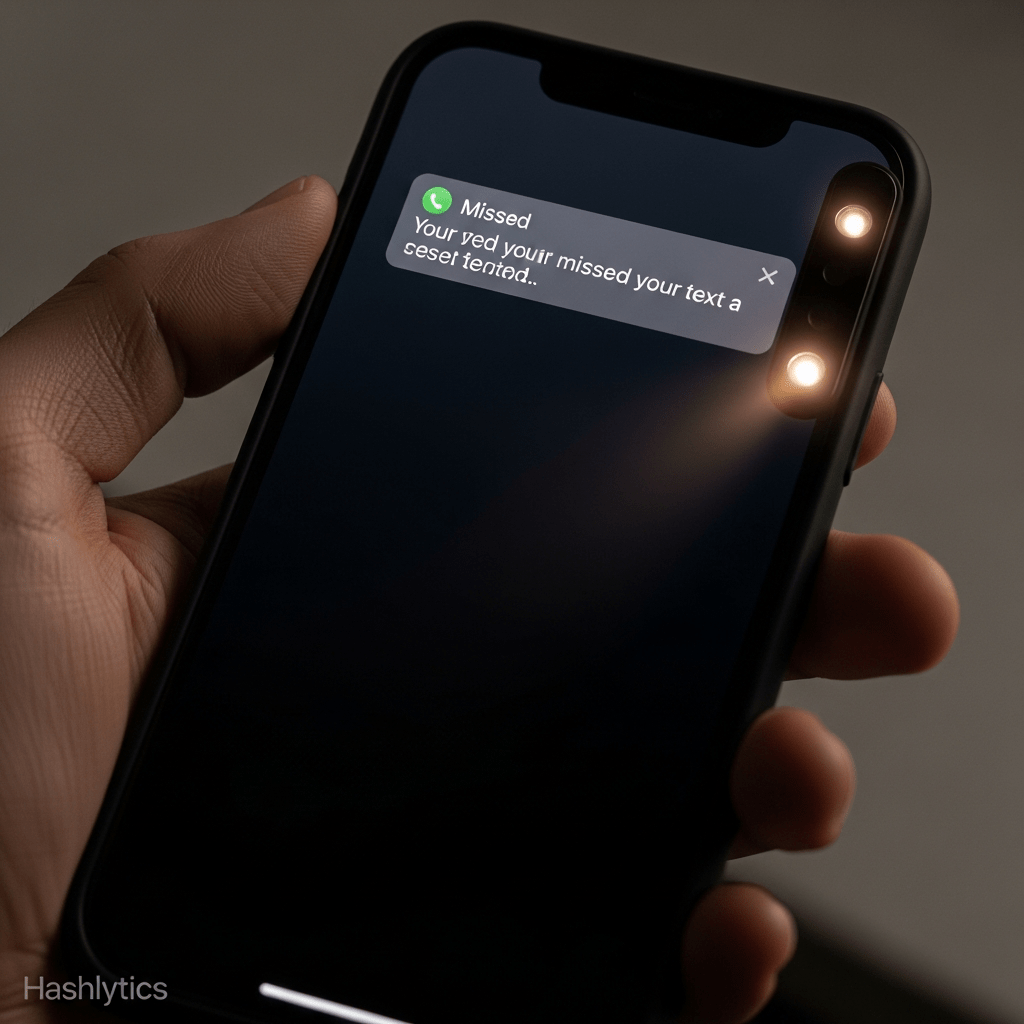
Previous Version
- Basic camera LED flash for incoming alerts
- Simple on/off toggle
- Limited visibility depending on phone position
iOS 26.2 Enhancement
- More sophisticated visual signal
- Improved visibility when Always-On Display (AOD) is disabled
- Better attention-grabbing capability
- More refined flash patterns
Practical Use Cases
| Scenario | How Flash Alerts Help |
|---|---|
| Meetings | Phone face down and silenced, flash alerts you to urgent messages without disruption |
| Noisy Environments | Can’t hear notification sounds, visual flash cuts through ambient noise |
| Quiet Spaces | Libraries, theaters, or sleeping partners, get alerts without audible disturbance |
| Hands-Free Work | Phone across the room, visible flash catches your attention from a distance |
| Hearing Accessibility | Users with hearing impairments get reliable visual notification cues |
Setup Instructions
Enable and configure Flash for Alerts in a few steps:
- Open the Settings app
- Navigate to Accessibility
- Tap Audio/Visual
- Scroll to Flash for Alerts
- Toggle the feature on
- Choose your preferred flash option (LED or full-screen in iOS 26.2)
Customization Options
- Flash on Silent: Choose whether flash alerts work only when phone is silenced
- Flash intensity: Some models allow brightness adjustment
- Flash pattern: Different alert types may have distinct patterns
Why This Matters Beyond Accessibility
While located in Accessibility settings, Flash for Alerts benefits a wide range of users:
| User Type | Benefit |
|---|---|
| Professionals | Stay aware of notifications during meetings without phone checking |
| Parents | Notice important calls/texts while phone is silenced during bedtime |
| Service Workers | Get alerts in loud environments where audio is ineffective |
| Privacy-Conscious Users | Receive notifications without audible cues revealing phone activity |
| Multi-Taskers | Peripheral vision catches flash while focused on other tasks |
Comparison: Notification Methods
| Method | Advantages | Limitations |
|---|---|---|
| Sound | Clear, immediate, works without visual line of sight | Disruptive in quiet spaces, ineffective in noisy environments |
| Vibration | Discreet, works when phone is on person | Requires physical contact, can be missed if phone isn’t on you |
| Visual Flash | Non-disruptive, works at distance, cuts through noise | Requires visual line of sight, less effective in bright light |
| Always-On Display | Persistent visibility without interaction | Battery drain, limited to certain models |
Design Philosophy: Inclusive Features
This update demonstrates Apple’s approach to accessibility—features designed for specific needs often benefit everyone:
- VoiceOver: Screen reader for blind users, now used for hands-free navigation by everyone
- Magnifier: Created for low vision, adopted by anyone needing to read fine print
- Live Captions: Essential for deaf users, helpful in noisy bars or quiet libraries
- Flash for Alerts: Designed for hearing accessibility, useful for discrete notification awareness
Inclusive design principles recognize that accessibility features address universal human needs—they just make those needs more obvious for certain users.
Potential Drawbacks
Flash for Alerts isn’t perfect for every situation:
- Battery impact: Repeated flashing can drain battery faster than standard notifications
- Distraction risk: In some contexts, visual flashes may be more disruptive than helpful
- Bright light environments: Flash may be difficult to notice in direct sunlight
- Privacy concerns: Visible flashes announce that you’re receiving notifications to anyone nearby
- Seizure risk: Users with photosensitive epilepsy should use caution with rapid flashing lights
Combining Notification Methods
For maximum effectiveness, consider using Flash for Alerts alongside other notification methods:
| Context | Recommended Combination |
|---|---|
| Office Work | Flash + Vibration (phone face down on desk) |
| Home Evening | Flash only (avoid disturbing others) |
| On the Go | Vibration + Sound (flash less effective when moving) |
| Sleeping Hours | Flash for urgent contacts only + Do Not Disturb |
| Focused Work | Flash + AOD (peripheral awareness without disruption) |
Who Should Enable This Feature
- Must-enable: Users with hearing impairments who rely on visual cues
- Highly recommended: Anyone who frequently works in silent mode environments
- Consider enabling: People who often miss notifications despite sound/vibration
- Situational use: Enable temporarily for specific contexts (meetings, events, sleeping)
- Probably skip: Users who always carry phones on their person or rarely use silent mode
The refined Flash for Alerts in iOS 26.2 represents thoughtful iteration on an existing accessibility feature. The improvements, more sophisticated visual signals and better visibility when AOD is disabled, address practical limitations of the previous version.
While the update isn’t revolutionary, it demonstrates Apple’s attention to features that solve real problems. Missed notifications aren’t just inconveniences: they can mean missing urgent messages, important calls, or time-sensitive alerts. A more effective visual notification system helps ensure users stay informed without compromising discretion.
The broader value lies in accessibility features serving universal needs. Not everyone has a hearing impairment, but everyone has situations where audio notifications don’t work. Flash for Alerts provides an alternative notification channel that’s useful in contexts ranging from professional meetings to noisy job sites to quiet home environments.
For iPhone users who frequently find themselves in situations where traditional notification methods fall short, enabling Flash for Alerts in iOS 26.2 provides a practical solution. It’s a small feature refinement that can make a meaningful difference in how effectively your phone keeps you informed throughout the day.
The enhancement proves that good design doesn’t always require dramatic changes, sometimes it’s about making existing features work better for the situations where people actually need them.
Follow us on Bluesky , LinkedIn , and X to Get Instant Updates