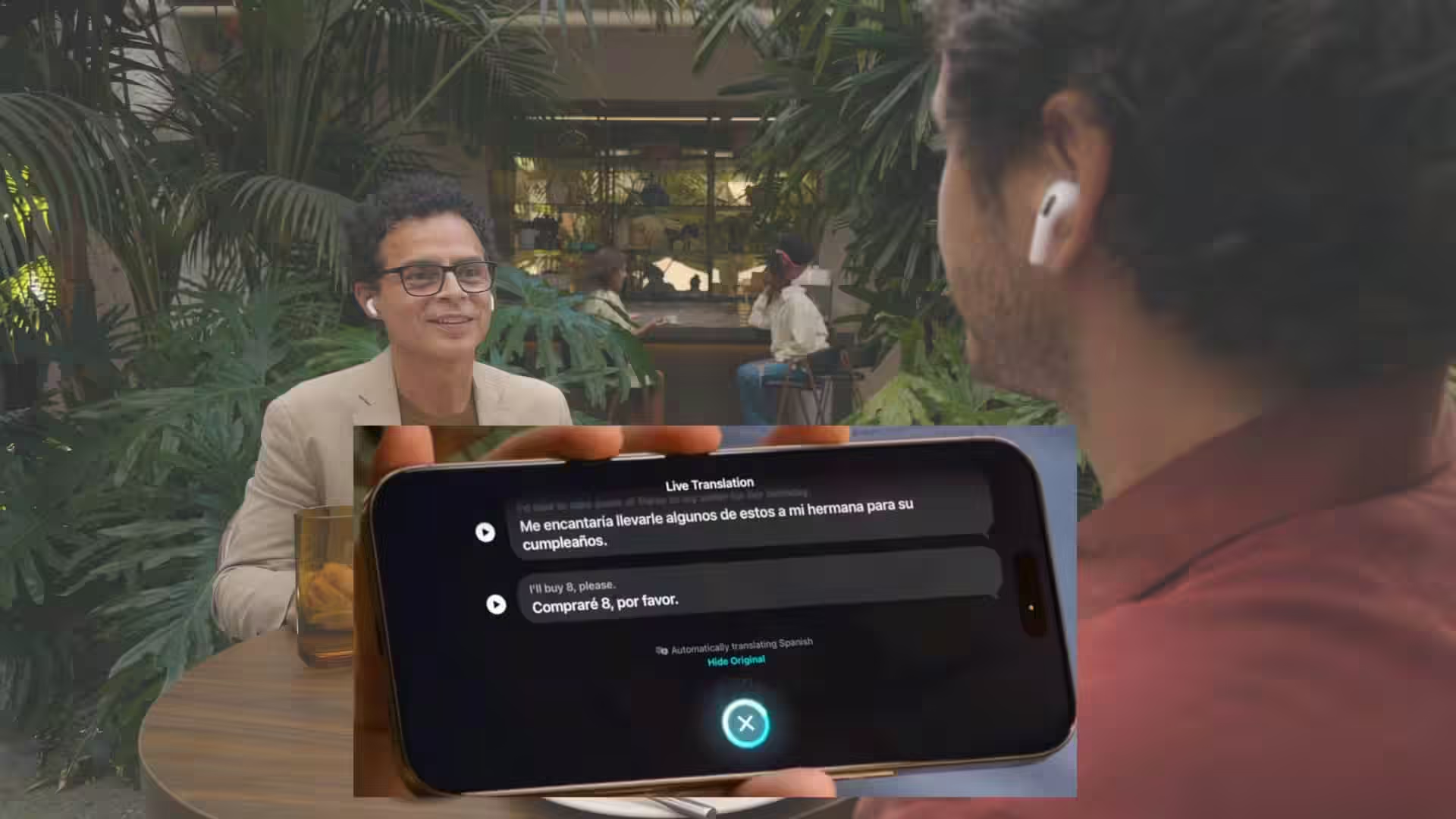
The user reported attempting to use Live Translation to facilitate conversation between English and Mandarin speakers. Despite having the necessary hardware, including an iPhone compatible with Apple Intelligence and updated AirPods firmware, the setup process presented initial difficulties. The user noted that the AirPods gesture intended to initiate Live Translation did not reliably activate the feature, prompting a switch to starting sessions directly from the Translate app. While the real-time translation speed impressed the user, described as near-instantaneous with minimal delay, the accuracy of the translations varied significantly, particularly for Mandarin-to-English exchanges.
According to the user’s account, setting up Live Translation required downloading specific language models, which Apple states run directly on the iPhone. This setup process was described as potentially messy for non-techy family members
. During the session, the user observed that English-to-Mandarin translations were usable but awkward at times
, whereas Mandarin-to-English translations failed so often
that a human translator became necessary. Positively, the AirPods‘ microphones effectively focused on the speaker, maintaining speech pickup even in a noisy cafe environment. However, the user also encountered several software issues, including screen freezing, unscrollable displays, and text bubbles overlapping user interface elements. Furthermore, a Live Translation session of approximately 30 minutes reportedly consumed a substantial portion of an iPhone 15 Pro‘s battery.
The user’s difficulties with the AirPods gesture align with complaints found on Apple‘s own support forums, indicating a potential widespread issue with the feature’s activation method. Apple officially states that Live Translation functions across various communication methods, including Messages, calls, FaceTime, and in-person conversations with AirPods. However, the company also cautions that it does not promise perfect results for every language pair
and acknowledges that the feature does not work everywhere
, listing specific availability and regional limits. This aligns with the user’s experience of inconsistent performance, particularly with Mandarin-to-English translation.
Specific details regarding Apple‘s plans to address the reported user interface glitches, gesture reliability issues, or battery consumption during Live Translation sessions remain unconfirmed. There is no publicly available timeline for potential software updates or patches that might improve the feature’s performance and stability for all language pairs.
Users interested in Live Translation are advised to update their iPhones to iOS 26, enable Apple Intelligence, and ensure their AirPods firmware is current and compatible. Downloading the required language models in the Translate app is also a prerequisite. If the AirPods gesture proves unreliable, initiating sessions directly through the Translate app is a recommended workaround. Users planning to rely on Live Translation for travel or family interactions should consult Apple‘s official documentation regarding supported languages and regional availability to manage expectations.
Follow us on Bluesky , LinkedIn , and X to Get Instant Updates