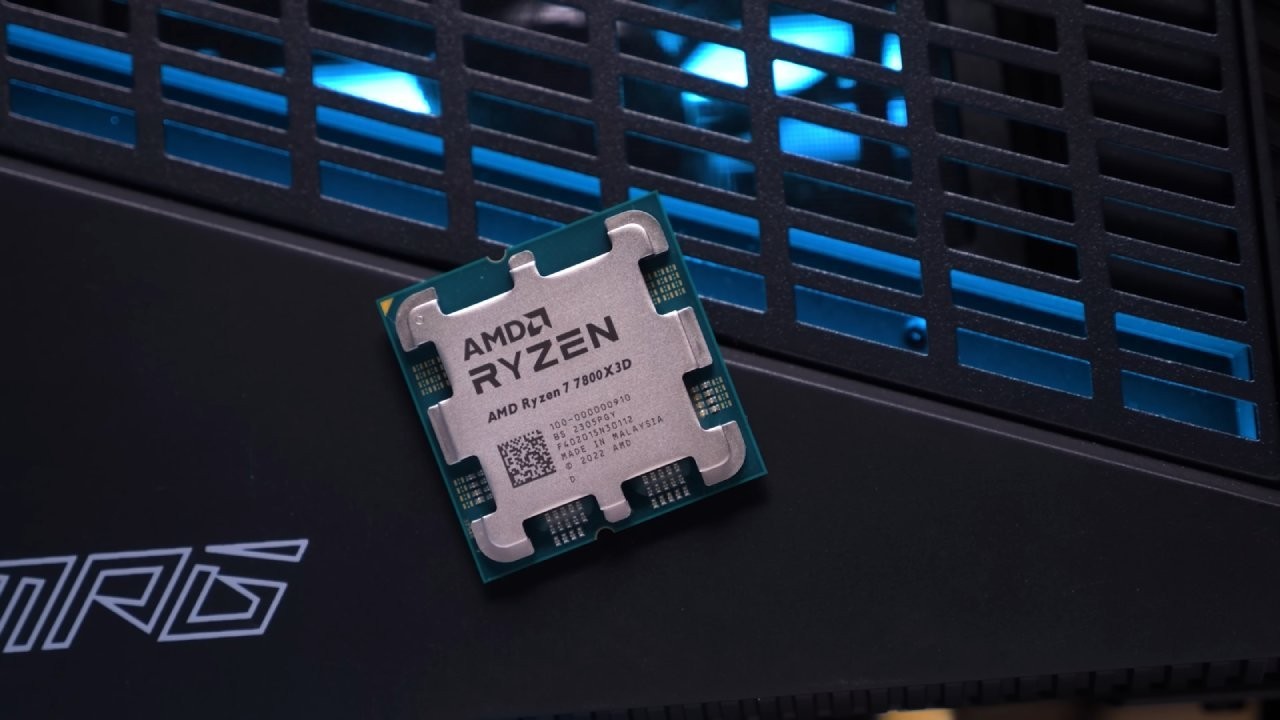
When AMD launched the Ryzen 9700X, initial reviews painted a confusing picture. Many tech outlets concluded it fell short in gaming compared to the reigning champion, the Ryzen 7 7800X3D. However, this conclusion overlooks a critical detail: the 9700X ships with a highly conservative factory configuration that masks its true potential.
Most reviewers enable the EXPO profile and run benchmarks — a fair assessment of default performance, but not the whole story. Unlike the 7800X3D, which is optimized for maximum gaming performance from the factory, standard Zen 5 CPUs require manual tuning to truly shine. The initial reviews showcased the floor, not the ceiling.
What You’ll Need
| Component | Recommendation |
|---|---|
| Memory | 32GB DDR5-6400 kit (CL30 or CL32) |
| Cooling | Adequate for sustained boost clocks |
| Stability Testing | Prime95 or AIDA64 |
| Windows Version | Windows 11 24H2 or 23H2 with latest updates |
Optimization Steps
Step 1: Install High-Speed DDR5-6400 Memory
The foundation of unlocking the 9700X’s performance lies in its memory subsystem. While the 7800X3D’s massive L3 cache makes it less sensitive to RAM speed, the 9700X benefits significantly from faster memory.
What to do: Install a quality 32GB DDR5 kit rated for 6400 MT/s with tight timings like CL30 or CL32. This speed maintains a 1:1 ratio between the memory controller and memory clock, crucial for low latency. Enable the built-in AMD EXPO profile in your BIOS—this is the most impactful first step.
Step 2: Undervolt with Curve Optimizer
Where to find it: Navigate to the AMD Overclocking section in your motherboard’s BIOS, then locate Precision Boost Overdrive (PBO) and Curve Optimizer.
What to do: Apply a negative voltage offset of -30 to all cores as a starting point. This reduces power consumption and heat output, allowing the CPU to sustain boost clocks for longer periods. Test stability after applying.
Step 3: Increase Power and Thermal Limits
The stock 65W power limit is a major bottleneck for the 9700X.
What to do: In PBO settings, change PBO Limits from Auto or Default to Motherboard. This allows the CPU to draw as much power as your motherboard’s VRMs can safely provide. Set a manual Platform Thermal Throttle Limit around 80°C—a conservative choice that prevents excessive temperatures while allowing aggressive boosting.
Step 4: Raise Maximum Boost Clock
Where to find it: Look for Max CPU Boost Clock Override in the PBO settings.
What to do: Apply a positive offset of +100MHz. This allows the 9700X to potentially reach a single-core boost clock of 5.6GHz, providing noticeable uplift in lightly threaded applications and games relying on high single-core speed.
Step 5: Set Infinity Fabric Frequency (FCLK)
The Infinity Fabric connects CPU dies and is directly tied to memory performance. For optimal latency, its frequency should run in sync with your memory controller.
What to do: For DDR5-6400 memory, manually set the FCLK Frequency to 2133 MHz in BIOS. The Ryzen 9000 series achieves this much more reliably than previous generations, ensuring you get the full benefit of high-speed RAM.
Step 6: Fine-Tune Memory Sub-Timings (Advanced)
For the last few percentage points of performance, tightening memory sub-timings provides small but measurable benefits.
What to do: Many high-end motherboards offer pre-configured profiles beyond standard EXPO settings, such as Low Latency Support
or High Bandwidth Support
. Enable these features to automatically optimize complex secondary and tertiary timings. Always run thorough memory stability tests after these changes, as they can be sensitive.
Important Context
Many initial reviews were impacted by an unreleased branch prediction optimization in Windows. While AMD and Microsoft have since rolled out this fix in the latest Windows 11 24H2 updates and backported it to 23H2, the gains from this OS-level fix are minor compared to the BIOS tuning outlined above.
Testing CPUs at 4K Ultra settings often creates a GPU bottleneck, masking true performance differences between processors. Proper methodology focuses on 1080p and 1440p to stress the CPU and reveal its actual capabilities.
The Results
While the Ryzen 7 7800X3D remains an exceptional gaming CPU, the narrative that the Ryzen 9700X is a poor choice for gamers is inaccurate once proper tuning is applied. By following these optimization steps, the 9700X transforms from an average performer into a top-tier contender that consistently trades blows with the 7800X3D.
When you factor in its superior performance in productivity tasks and potentially lower overall platform cost, the fully-tuned 9700X emerges as the more versatile and arguably better value choice for a new high-end PC build in 2026.
Follow us on Bluesky , LinkedIn , and X to Get Instant Updates