Introduced with Android 9 in 2018, One UI was built around a simple idea: big screens should be easy to use. Over time, that idea grew into something much bigger. Each update refined the design, added depth, and expanded what users could control. The result is an interface that feels familiar, flexible, and hard to give up once you’re used to it.
This piece breaks down the One UI features that actually matter to long-term users. Not specs. Not marketing slides. Just the things that make people hesitate before switching brands. From deep customization to advanced multitasking, One UI focuses on control, comfort, and trust.
Below are the standout features that keep users anchored in the Galaxy ecosystem.
1. Deep Customization with Good Lock and Theming
Customization is where One UI really separates itself. Beyond wallpapers and icons, Samsung’s Good Lock modules let users reshape how the phone behaves. Lock screens, quick panels, navigation styles, animations — almost everything is adjustable.
Modules like LockStar and Theme Park give users the freedom to build an interface that feels personal, not generic. That sense of ownership matters. When a phone looks and behaves exactly how you want, switching becomes less tempting.
2. Advanced Multitasking Capabilities
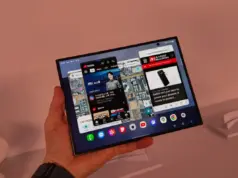
One UI is built for people who actually use their phones for more than scrolling. Split Screen and Pop-up View make it easy to run multiple apps at once, whether that’s watching a video while replying messages or juggling work apps on the go.
Samsung keeps refining this. App pairs, flexible window resizing, and tablet-friendly layouts reduce friction between tasks. The phone starts behaving less like a distraction and more like a tool.
3. Samsung DeX: Desktop-like Experience
Samsung DeX pushes that idea even further, turning a Galaxy device into a desktop-style workspace. Connect to a monitor, add a keyboard and mouse, and you get resizable windows, shortcuts, and a familiar PC layout.
What makes DeX practical is its flexibility. It works wirelessly on supported screens or through a simple USB-C cable. For mobile professionals or hybrid workers, it’s a real productivity boost, not a gimmick.
4. Enhanced Privacy and Security with Secure Folder and Knox
Security is another quiet strength. Samsung Knox runs beneath One UI, protecting the system at a hardware level. On top of that sits Secure Folder, an encrypted space for private files and apps.
Secure Folder can be hidden, locked separately, and kept completely isolated from the rest of the phone. For users who care about privacy or manage sensitive data, this builds trust — and trust keeps people loyal.
5. Intuitive User Experience and Ergonomic Design
One UI was designed for one-handed use from day one. Interactive elements stay within thumb reach, while content stays easy to view. Small decisions like this add up during daily use.
Features like Edge Panels, consistent layouts across devices, and a refined Quick Panel make navigation feel natural. You don’t have to think about where things are. They’re just there.
Beyond these core features, Samsung One UI continues to evolve. New releases bring smarter AI tools, better system controls, and longer software support cycles. Features like Circle to Search, on-device translation, and extended update commitments add real value over time.
That consistency is the point. One UI doesn’t chase trends for attention. It focuses on comfort, control, and reliability. For many Galaxy users, that’s enough to stay — not because they have to, but because the experience already fits.
Follow us on Bluesky, LinkedIn, and X to get instant updates.