
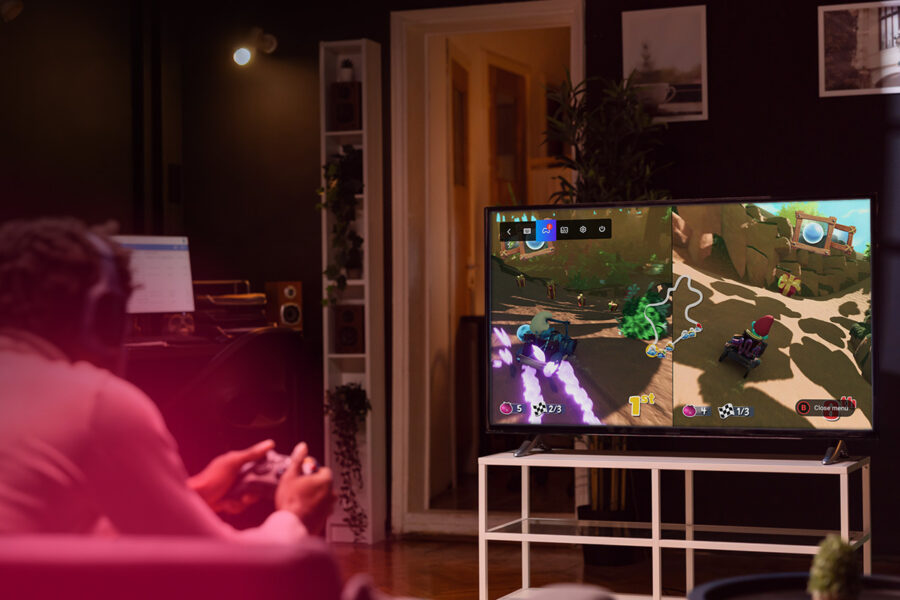
The integration of Boosteroid Cloud Gaming into Whale TV-powered smart TVs is a significant move, making 4K/120fps PC gaming accessible directly from your living room TV. This offering is definitely worth it if you’re looking to tap into your existing PC game library without the need for an expensive gaming rig or console, especially on compatible smart TVs.
What changed most / what to expect: This new partnership brings high-fidelity cloud gaming natively to a wide range of 4K smart TVs running the Whale TV operating system. Expect to stream PC games at up to 4K resolution and 120 frames per second, leveraging the cloud to bypass local hardware limitations. The biggest differentiator is the expanded accessibility for mainstream TV brands to offer a premium gaming experience.
This integration brings several key features to compatible Whale TV models, making high-end PC gaming more accessible than ever directly through your smart TV. The focus is on high resolution, smooth frame rates, and flexible control options across a broad geographical footprint.
Key highlights:
- Boosteroid app available on 4K Whale TV models.
- Regions: Europe, North America, South America.
- Supported TV brands: Philips, RCA, Sharp, Telefunken, JVC.
- Resolution: Up to 4K.
- Frame Rate: Up to 120fps.
- Control: Bluetooth controller or smartphone as virtual controller.
Specs highlights:
- Boosteroid operates 28 data centers globally.
- Whale TV OS is deployed across 400+ TV brands, supporting 45 million monthly active TVs globally.
- Boosteroid requires users to own games on platforms like Steam, Epic Games Store, or Xbox PC Store.
- Unlimited session duration offered by Boosteroid.
- Boosteroid’s ULTRA plan utilizes EPYC Zen 4 CPU, 28GB DDR5 RAM, and RX 7900 XT GPU.
| Feature | Details |
|---|---|
| Price (Boosteroid ULTRA) | ~€17.89 / month (or ~€14.98/month with semi-annual subscription) Boosteroid Pricing |
| Max Resolution | 4K |
| Max Frame Rate | 120fps |
| Compatibility | Whale TV OS (Philips, RCA, Sharp, Telefunken, JVC), Windows, macOS, Linux, Android, iOS, ChromeOS Boosteroid Official Site |
| Required Internet | Minimum 15 Mbps (1080p/60fps), recommended 35 Mbps for smooth Full HD gaming, higher for 4K |
| Game Library | User-owned games from Steam, Epic Games Store, Xbox PC Store |
✓ Pros:
- Enables 4K/120fps PC gaming directly on smart TVs without dedicated expensive hardware.
- Broad device compatibility, extending beyond TVs to PC and mobile platforms.
- Boosteroid boasts a large game library, supporting many AAA titles that might not be available on competing cloud services.
- Offers unlimited session time, a significant advantage over some competitors.
- Competitive pricing for its 4K/120fps tier, especially when considering the lack of session limits.
- Flexibility with control options, including standard Bluetooth controllers and a smartphone as a virtual controller.
- Leverages AMD technologies like AFMF, FSR, and Radeon Anti-Lag on its ULTRA plan for enhanced visual quality and reduced latency.
✗ Cons:
- Users must purchase and own games separately on platforms like Steam or Epic Games Store.
- No free trial is available for Boosteroid.
- Some games may require a brief installation process on Boosteroid’s servers before playing.
- While the ULTRA plan features modern hardware, older Boosteroid tiers have been benchmarked with less powerful GPUs.
- Potential for occasional frame rate drops and slightly higher input lag compared to top-tier competitors like Nvidia GeForce Now, particularly with network inconsistencies.
- The user interface, especially on TV, could benefit from further refinement for a more seamless experience.
In the competitive cloud gaming landscape, Boosteroid, especially with its 4K/120fps offering on Whale TV, carves out a strong niche. Compared to Nvidia GeForce Now, Boosteroid often wins on game library size, supporting a wider array of AAA titles, including some publishers that have pulled from GeForce Now. Its pricing for 4K/high FPS, combined with unlimited session duration, presents a compelling value proposition against GeForce Now’s tiered subscription model, which can include playtime limits. However, GeForce Now generally boasts superior hardware specifications, lower input lag, and a more consistent, polished user experience, particularly with its Ultimate plan. When it comes to Xbox Cloud Gaming (xCloud), Boosteroid offers a more robust, dedicated cloud gaming experience. While xCloud is a fantastic value bundled with Game Pass Ultimate, it’s generally considered to be in beta and doesn’t match the stream quality or latency of dedicated services like Boosteroid or GeForce Now for high-performance gaming.
Community reactions to Boosteroid are generally positive, highlighting its significant value proposition. Users frequently praise the service for enabling them to play their extensive PC game libraries on virtually any device without needing powerful local hardware. The absence of session time limits is a recurring point of appreciation, offering gamers true freedom to play as long as they wish. Many find the 4K/120fps experience impressive, especially considering the cost. However, some feedback indicates that performance can be highly dependent on individual internet connection stability and proximity to Boosteroid’s data centers, with occasional reports of frame rate inconsistencies or minor input lag compared to the absolute best in class. The user interface, particularly on TV platforms, has also been noted by some as an area for improvement.
The Whale TV integration of Boosteroid Cloud Gaming is a game-changer for many, delivering on the promise of high-end PC gaming without the hefty hardware investment. If you own a compatible 4K Whale TV-powered set and a decent internet connection, this is an excellent opportunity to dive into your PC game library in stunning 4K at up to 120 frames per second. While it requires you to bring your own game licenses, the competitive pricing and unlimited playtime make it a compelling choice. I believe it offers a fantastic value for casual to serious gamers who prioritize accessibility and a vast game selection over the absolute lowest latency for competitive esports. For those who want to expand their gaming horizons directly from their smart TV, this is a clear recommendation.
Best for: Gamers with compatible Whale TV sets who want to play their existing PC game library at 4K/120fps without a dedicated console or gaming PC, and those who value a large game library with unlimited play sessions.
Skip if: You are a competitive esports player who demands ultra-low latency above all else, prefer a cloud gaming service that includes a library of games, or already own a high-end gaming PC or console.
Follow us on Bluesky , LinkedIn , and X to Get Instant Updates