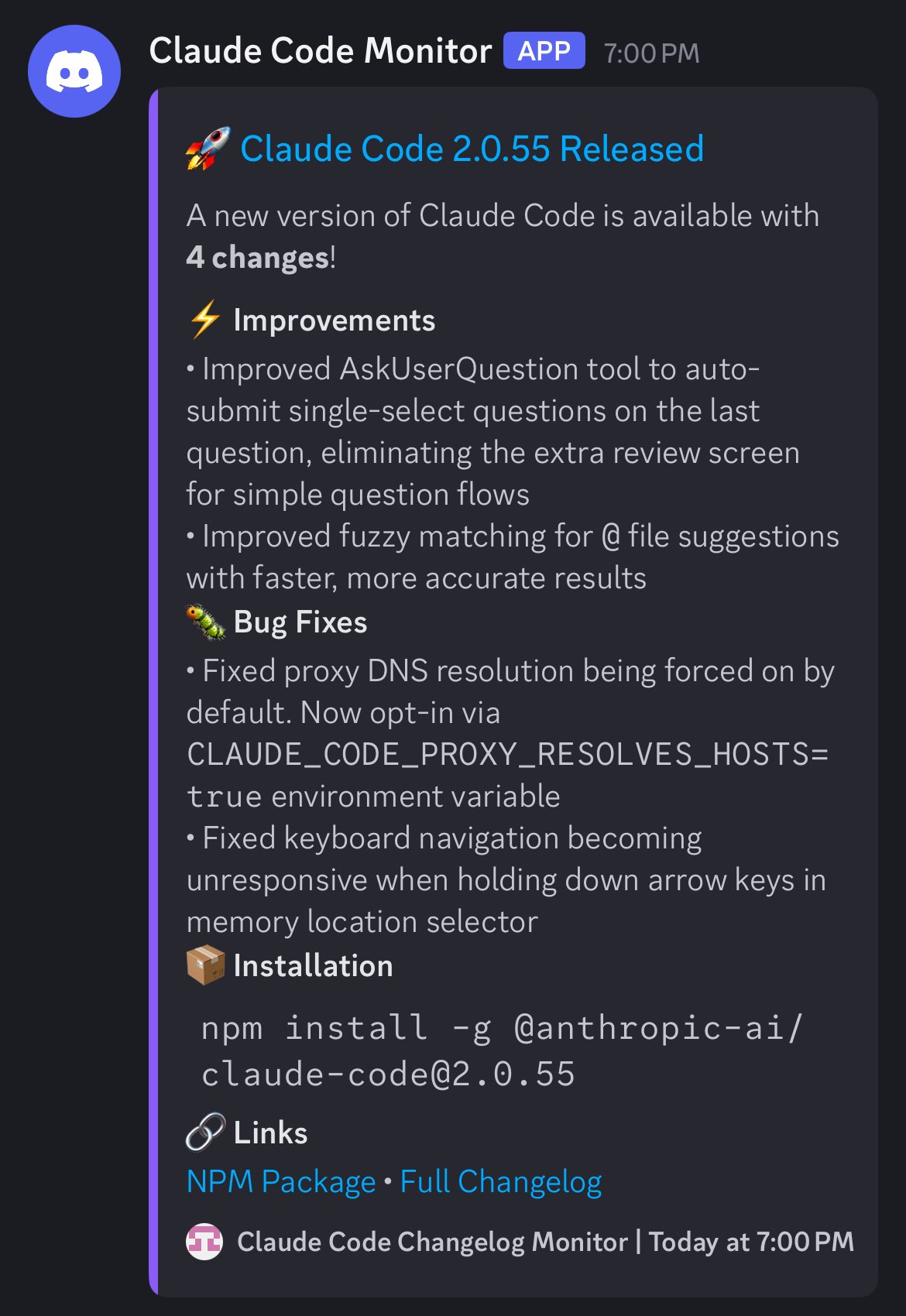
Claude Code 2.0.55 just dropped with 4 changes, and the fuzzy matching improvement for @ file suggestions sounds really useful.
Quick Context: What Is Fuzzy Matching?
Fuzzy matching is when you type part of a filename and it finds matches even if you skip characters. Like typing usrctr finds UserController.ts.
As one commenter noted: “Should make @ file search way more forgiving when you’re typing fast or can’t remember the exact filename.”
What’s New in 2.0.55
According to the official changelog, here are the 4 changes:
| Category | Change |
|---|---|
| ⚡ Improvements | Improved AskUserQuestion tool to auto-submit single-select questions on the last question, eliminating the extra review screen for simple question flows |
| ⚡ Improvements | Improved fuzzy matching for @ file suggestions with faster, more accurate results |
| 🐛 Bug Fixes | Fixed proxy DNS resolution being forced on by default. Now opt-in via CLAUDE_CODE_PROXY_RESOLVES_HOSTS=true environment variable |
| 🐛 Bug Fixes | Fixed keyboard navigation becoming unresponsive when holding down arrow keys in memory location selector |
The Critical Clarification: Native vs NPM Build
One user asked: “Make sure you’re on the native (non-npm) build if you want the fuzzy search improvements! Which one gets updates first if I want to stay current?”
The response from the team: “Ideally the npm one goes away in the future. The native build is ~fairly new! We release updates to both at the same time.”
Why Two Builds?
According to Anthropic’s autonomy announcement, the native build represents a strategic shift toward more integrated, IDE-focused experiences — particularly with the new VS Code extension in beta.
| Build Type | Installation | Status |
|---|---|---|
| NPM Build | npm install -g @anthropic-ai/claude-code |
Legacy (phasing out) |
| Native Build | npm install -g @anthropic-ai/[email protected] |
Current (recommended) |
As Skywork’s best practices guide notes: “Install the CLI globally, authenticate once, and run inside the project root. Keep your repo buildable and testable locally; Claude Code performs better when it can reason over an intact, working tree.”
The User Experience
One enthusiastic commenter captured the sentiment perfectly: “Fantastic update! Finding things like ‘UserController.ts’ with just a few characters makes sense now too 🙂 Only slightly terrified I was already at my quota for pressing enter.”
The Context: Why Fuzzy Search Matters
Before this update, users complained that file search was “very iffy.” For example, if you had a project called web and wanted to access a deeply nested file like AuthenticationPage.tsx, typing @web/Authenicatio... often failed to return results.
According to Ernest Chiang’s study notes, this frustrated developers who were trying to work quickly: “The hardest thing to handle is people, not technology. Technology can be solved with money and time; people require heart and building trust.”
The Feature Request: Better Model Control
One power user raised a critical issue: “We need a Opus plan Sonnet/Haiku execute option again. Or when it uses subagents it needs to show what model each agent is so know. So far seeing no sonnet usage increase, I suspect it only uses Opus. Also 400k or 500k context window for Opus, Sonnet and Haiku would be game over.”
The Subagent Transparency Problem
According to claude-code-system-prompts repository, Claude Code as of v2.0.55 has separate system prompts for builtin agents like Explore and Plan, but it doesn’t surface which model each subagent is running.
As Ernest Chiang explains, subagents are Claude Code’s most innovative feature:
“Subagents are essentially specialized AI assistants that can be called by the main agent. Each Subagent has: Independent System Prompts, Dedicated Context Window (not interfering with main tasks), Specific Tool Permissions (only able to use the minimum permissions needed to complete tasks).”
But without visibility into which model powers each subagent, users can’t optimize for cost or performance.
The Context Window Request
The request for 400k-500k context windows isn’t arbitrary. According to Skywork’s review, Claude Code’s strength is handling “complex, long-running, and multi-file tasks”—but context limits remain a bottleneck for large codebases.
What This Update Really Means
The fuzzy search improvement is deceptively important. As ClaudeLog’s changelog notes, v2.0.0 introduced a major shift in response tone—from “One word answers are best” to “provide complete information matching the complexity of the query.”
Combined with faster, more accurate file suggestions, this makes Claude Code feel less like a chatbot and more like a true development partner.
The Broader Context: VS Code Integration
According to Anthropic’s announcement, the native VS Code extension brings Claude Code directly into your IDE with:
- Real-time changes through a dedicated sidebar panel
- Inline diffs
- Richer, graphical Claude Code experience
- Searchable prompt history (Ctrl+r)
This explains why the native build matters—it’s the foundation for deeper IDE integration.
Installation & Next Steps
To get 2.0.55 with the fuzzy search improvements:
npm install -g @anthropic-ai/[email protected]For the full changelog and links:
- NPM Package
- Full Changelog
@usrctr dozens of times a day, faster and more forgiving file search compounds into real productivity gains.
The unanswered questions remain:
- Model visibility: When will users see which model powers each subagent?
- Context windows: Will Opus/Sonnet/Haiku get 400k-500k contexts?
- NPM deprecation: When does the npm build officially sunset?
As one user wisely noted: “Only slightly terrified I was already at my quota for pressing enter.” The fuzzy search improvements help—but Claude Code’s power users are pushing the limits of what’s possible, and the roadmap needs to catch up.