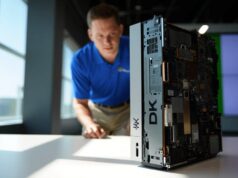
Microsoft quietly launched Foundry Local, an open-source tool that runs AI models entirely on your device without cloud dependencies, subscriptions, or authentication. Built on ONNX Runtime with hardware acceleration for CPUs, GPUs, and NPUs, it integrates seamlessly into applications through an OpenAI-compatible API.
Zero Cloud, Maximum Privacy
Unlike cloud-based services, Foundry Local processes everything on-device. No Azure subscription required, no data leaves your machine, and internet connectivity is optional after initial model downloads. This addresses privacy concerns for healthcare, finance, and regulated industries where sensitive data cannot reach external servers.
| Feature | Foundry Local | LM Studio | Ollama |
|---|---|---|---|
| Model Format | ONNX only | GGUF, ONNX, others | GGUF |
| Model Catalog | Limited (Phi, Qwen 2.5, Mistral, GPT-OSS) | Extensive (hundreds) | Extensive (hundreds) |
| Windows ARM Support | Yes (NPU optimized) | Limited | Limited |
| GUI | No (CLI only) | Yes (full featured) | No (CLI only) |
| API Compatibility | OpenAI | OpenAI | OpenAI |
Installation Takes Seconds
Getting started requires just one terminal command per platform:
Windows Installation
- Open PowerShell or Command Prompt
- Run:
winget install Microsoft.FoundryLocal - Verify installation:
foundry --version
macOS Installation
- Open Terminal
- Run:
brew install microsoft/foundrylocal/foundrylocal - Confirm setup:
foundry service status
Running Your First Model
After installation, running models involves three simple steps:
- List available models:
foundry model listdisplays hardware-compatible options - Start a model:
foundry model run qwen2.5-0.5bauto-downloads and launches - Interact via CLI: Type questions directly in the terminal or integrate via the REST API at
http://localhost:5273
Sample API Request
curl http://localhost:5273/v1/chat/completions \
  -H "Content-Type: application/json" \
  -d '{
    "model": "qwen2.5-0.5b",
    "messages": [{"role": "user", "content": "Explain async programming"}]
  }'
Limited Model Selection Raises Questions
Critics highlight Foundry Local’s restricted catalog compared to competitors. Current models include Microsoft’s Phi family (Phi-3, Phi-4), Qwen 2.5 series, Mistral variants, and OpenAI’s GPT-OSS-20B. Notably absent: Llama 3+, Qwen 3, Gemma 2, and other recent releases.
Why the Gap?
- ONNX requirement: Models need conversion from PyTorch/GGUF, adding friction
- Optimization focus: Microsoft prioritizes deep hardware integration over breadth
- Preview status: Catalog expansion expected before general availability
Developers can convert custom models using Microsoft Olive, though this requires technical expertise and time.
Windows ARM Gets Premium Treatment
Foundry Local excels on Windows ARM devices like Snapdragon X Elite laptops, where most competitors struggle. Pre-optimized models leverage NPUs (Neural Processing Units) for power-efficient inference, a rare advantage on an otherwise underserved platform.
When to Choose Foundry Local
Best For:
- Windows ARM users needing NPU acceleration
- Enterprise teams requiring Microsoft ecosystem integration
- Developers building OpenAI-compatible apps with local fallback
- Projects demanding maximum data sovereignty
Avoid If You Need:
- Extensive model variety (use LM Studio instead)
- Graphical user interface (Ollama + Open WebUI offers this)
- Latest model releases the day they drop
- Linux support (not yet available)
Microsoft entered the local AI race years after established players, but Foundry Local offers distinct advantages: bulletproof Windows integration, enterprise-grade ONNX optimization, and unmatched ARM support. The limited model catalog and CLI-only interface will deter casual users, but for developers building production apps on Windows, especially ARM-based Copilot+ PCs, it deserves serious consideration.
Full documentation and starter projects available at foundrylocal.ai and the GitHub repository.