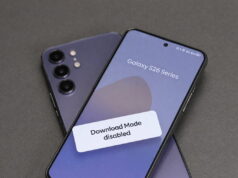
A Samsung user in the Philippines has sparked an online discussion after reporting a persistent pattern of screen failures across several family-owned Galaxy smartphones. The user claims the issues, including green and flickering screens, are linked to heat generated during software updates rather than physical damage, raising questions about device durability.
In a public forum post, a 25-year-old user, identified as “familyGalaxy,” detailed recurring display problems with multiple Samsung devices. The affected models include a Galaxy Flip 5, which developed a screen issue, and a Galaxy S23 Ultra belonging to her father that exhibited a flickering screen. The user stated that her mother had experienced similar failures on two separate phones. These phones are still perfectly usable… and it’s not like we do damage to it,
she wrote, adding they were able to use the damaged Flip 5 via screen sharing.
The user also reported a separate problem with her own Galaxy S23, where her watch would not connect to the phone. The issue reportedly required a device reset and software update, leading to data loss. According to the original report from Newsweek, the publication was unable to independently verify the details of the user’s specific case.
The user’s claims were met with mixed reactions from the online community. Several other Samsung owners shared experiences of high durability, casting doubt on the original poster’s claims. One commenter noted, Honestly, I’ve always thought Samsung displays had insane durability compared to other phones. I dropped mine down the stairs and everywhere, and it’s completely fine.
Others suggested user error might be the cause. You either drop your phones too much, meaning you’re not a careful person, or something is off with your usage,
another user posted. This sentiment was echoed by others who reported years of using Samsung devices without any screen-related failures, attributing their success to careful handling.
The original poster attributed the screen failures to a specific internal problem. Unfortunately, the display issues aren’t due to drops but apparently some wire being damaged due to the heat during updates,
she claimed. This suggests a potential hardware vulnerability exacerbated by the thermal output of system updates. While some have reported similar “green line” screen issues on Samsung and other Android devices, the direct link to update-related heat is not officially confirmed.
Another theory was proposed by a commenter who claimed, It’s a regional thing affecting Asia and multiple brands.
However, this was disputed by others in the discussion, with one user from a hot climate stating they had not experienced the issue despite summer temperatures reaching 50°C (122°F).
Several key details remain unconfirmed. It is not known whether the user contacted Samsung support directly or what the company’s response was. An official statement from Samsung acknowledging or explaining the alleged heat-related screen failures has not been issued. Furthermore, it is unclear how widespread this specific issue is or if it is confined to particular manufacturing batches or regions.
According to the report, Newsweek has reached out to both the original poster and Samsung’s corporate communications for comment on the matter. The outcome of these inquiries is pending. For other Galaxy users, this incident highlights potential concerns about device longevity and the impact of software updates on hardware, particularly for those in warmer climates.
While the cause of this user’s specific issues is unverified, individuals concerned about device health can take several general precautions:
- Ensure devices have adequate ventilation and are not covered when performing major software updates to help dissipate heat.
- Regularly back up important data to a cloud service or external drive to prevent loss in case of device failure.
- If you experience a screen issue, document it with photos or video and contact the manufacturer’s official support channels immediately.
- Before updating, check online forums and communities for reports of issues with the new software on your specific device model.
Follow us on Bluesky , LinkedIn , and X to Get Instant Updates