What Google Is Building
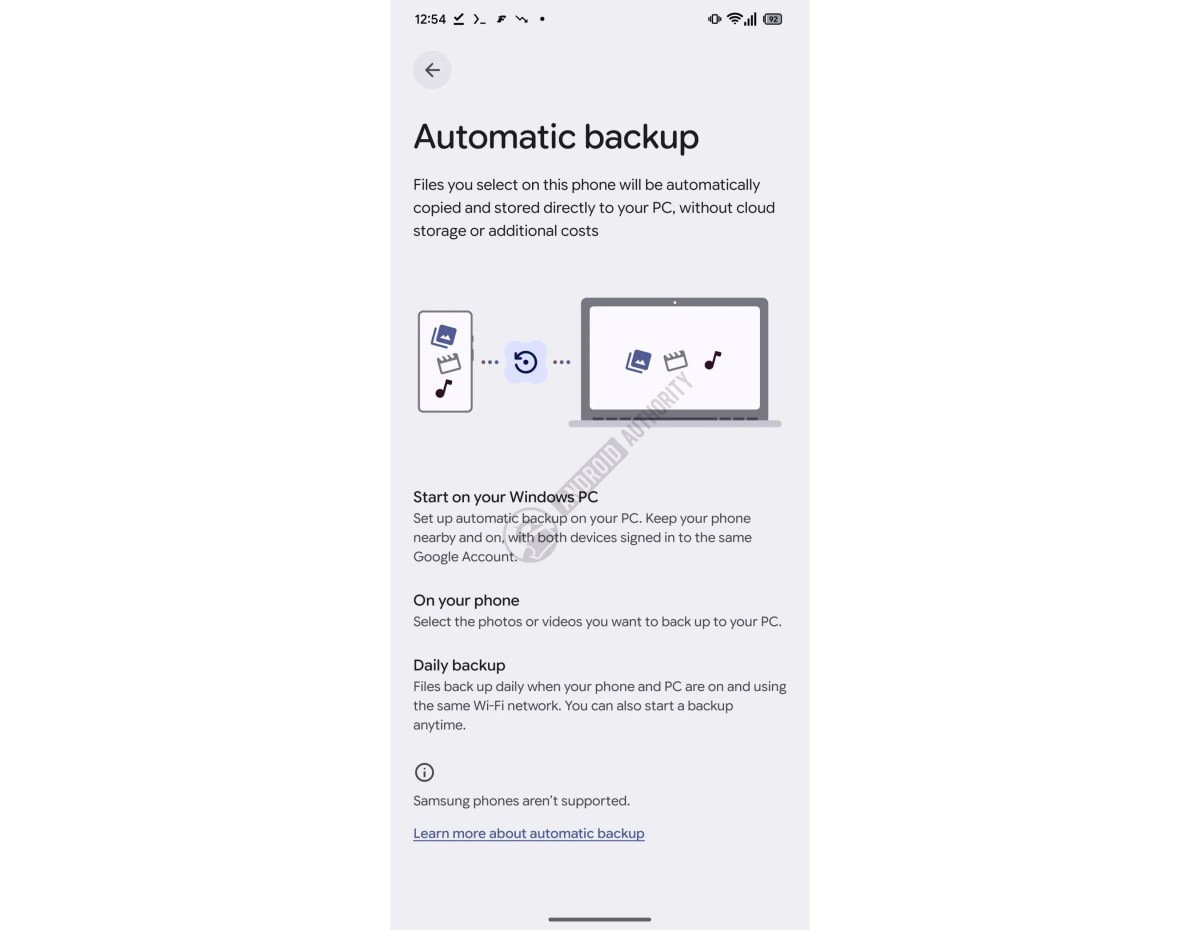
The new backup system works locally across devices on the same network, with both the Android phone and Windows PC needing to be signed into the same Google account. Users will activate it through the Quick Share app on their PC, then select specific photos and videos to back up automatically.
This is a direct, local solution that bypasses cloud storage entirely. Given that the feature appears in Google Play Services, it’s currently in active development, though Google hasn’t announced a rollout date yet.
Why Samsung Is Left Out
The exclusion is clear: Samsung phones simply aren’t supported, according to information found in the code. The reason Google is doing this remains unconfirmed, but Samsung’s own Smart Switch application likely plays a role.
Smart Switch already handles data transfers between Samsung phones and PCs, which could explain Google’s decision to keep its new feature separate. However, Smart Switch lacks automatic backup capabilities, leaving a gap that Google’s new system is designed to fill for other Android users.
Who This Affects
Any Android user with a non-Samsung phone will be able to use this feature once it launches. Samsung users, meanwhile, will need to continue relying on Smart Switch and other existing backup methods.
For millions of Android users who prefer local backups over cloud solutions, this offers a simpler alternative. The integration with Quick Share also means it should feel natural for anyone already using Google’s cross-device file-sharing service.
The presence of this code in Google Play Services signals that development is underway, but there’s no official announcement yet on when the feature will roll out to users. Once it does, it promises to make backing up your Android phone to a Windows PC as straightforward as a few clicks and a stable Wi-Fi connection.
Follow Hashlytics on Bluesky, LinkedIn, Telegram and X to Get Instant Updates