Reviewers noted inconsistent gameplay on the new Pixel 11 series, with significant jank and freezing especially in graphically demanding games. This behavior was more pronounced than what earlier Pixel models showed during similar tests. Google released patches in August and September 2026 aimed at addressing the issues, but the problems persisted, leading to a deeper investigation into the device’s graphics architecture.
Google Quietly Switched the Default Graphics Layer
The root cause traces back to a core architectural change. Google made ANGLE the default OpenGL ES implementation on the Pixel 11 series, a departure from every previous Pixel device. ANGLE works as a compatibility layer, translating OpenGL ES calls into Vulkan commands for the GPU rather than letting them run natively.
Google has pushed for Vulkan and ANGLE adoption for years, but the Pixel 11 is the first phone where ANGLE handles OpenGL ES rendering by default. That change directly affects any game still built on the older OpenGL ES standard, which includes several major titles:
- Asphalt Legends
- Call of Duty Mobile
- Genshin Impact
- Dolphin Emulator
On the Pixel 10 Pro XL, none of these titles used ANGLE. On the Pixel 11 Pro XL, all four now route through it by default.
Why Genshin Impact Stutters
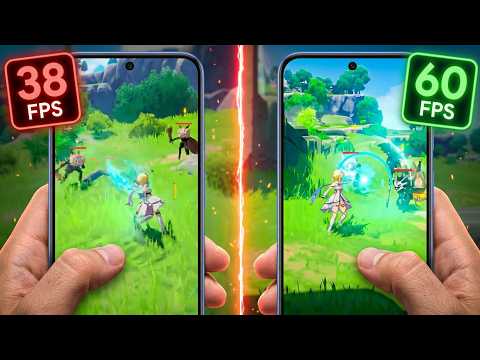
Testing Genshin Impact with ANGLE enabled, the default state on the new phone, showed highly variable frame times with repeated large janks and microstutters during gameplay. Disabling ANGLE significantly reduced these spikes.
The stuttering shows up most clearly when new animations, enemy models, or particle effects appear on screen. That pattern suggests ANGLE’s translation process, particularly for new shader combinations, adds extra CPU or driver work at exactly the moments frames are most likely to miss their deadline.
A Workaround Exists, But It’s Per App
Users hitting microstuttering can manually switch individual apps back to native OpenGL. The setting sits inside Android’s Developer Options under ANGLE Preferences.
Getting there requires tapping the Build Number in Settings to unlock Developer Options first. From there, users pick specific apps and choose between default, force ANGLE, or native OpenGL. There is no global toggle. Every affected game has to be set individually.
Hashlytics Take
This isn’t really a Pixel 11 bug so much as the visible cost of Google standardizing its graphics stack a phone generation too early. Forcing OpenGL ES through Vulkan translation is the right long-term move for Android, but shipping it as the silent default, with no warning and no easy global override, put the burden of discovery on gamers rather than developers. Google’s own patches addressed some symptoms without touching the actual cause, which tells you the fix is coming from game studios updating their engines, not from another firmware update.
Follow Hashlytics on Bluesky, Facebook, LinkedIn , Telegram and X to Get Instant Updates