What’s Actually Built Into Your Phone
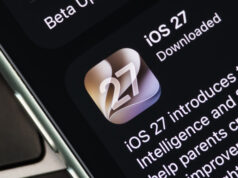
On an iPhone running iOS 27, the Passwords app automatically flags weak, reused, or compromised logins under its Security section. It also suggests upgrading to passkeys or Sign in with Apple where supported, nudging users toward stronger alternatives rather than just flagging the problem.
Google Password Manager runs a similar feature called Password Checkup, which identifies passwords exposed in breaches, those that are weak, and those reused across multiple accounts. This is now live across Android 17 devices, including Samsung Galaxy phones running One UI 9 and Google Pixel devices, with the rollout starting in September 2026.
A Breach Doesn’t Mean You’ve Been Hacked, Yet
Even strong, unique passwords can end up exposed once a service gets breached. Criminals take these leaked credential lists and run credential stuffing
attacks, trying the same username and password combinations across completely unrelated services. That’s why an exposed password is a real risk even when the original breach felt minor or unrelated to you.
A warning on your phone doesn’t mean someone has already broken into your account. It means the password is now sitting in a public dataset somewhere, available to anyone running these stuffing attacks. The distinction matters, but the response should be the same either way.
What to Do the Moment an Alert Shows Up
- Go directly to the official website or app for the affected service and change the password there
- Avoid clicking password reset links from unexpected emails, since these are a common phishing tactic
- Check whether that same password was reused anywhere else, and change it there too
- Prioritize primary email and financial accounts first, since those unlock access to everything else
- Turn on two-factor authentication or switch to a passkey wherever the service supports it
Where Built-In Tools Stop Short
Apple Passwords and Google Password Manager are convenient, particularly if you’re locked into one ecosystem. But dedicated password managers still offer more. They provide an encrypted vault that syncs across operating systems and browsers rather than staying tied to one platform, along with autofill and password generation built for daily use.
Many of these dedicated tools include their own breach monitoring and password health scoring, giving users managing dozens or hundreds of logins a single place to oversee everything instead of checking two separate ecosystems.
Hashlytics Take
The real gap here isn’t detection, it’s follow-through. Apple and Google have solved the hard technical problem of matching your passwords against breach databases in real time. What they can’t solve is a user swiping past the notification and doing nothing, which is exactly what tends to happen when a warning shows up buried in a settings menu nobody checks regularly. The feature only works if people treat it like a smoke alarm instead of a notification they’ll get to eventually.
Follow Hashlytics on Bluesky, Facebook, LinkedIn , Telegram and X to Get Instant Updates