The same day, Samsung opened the Android 17-based One UI 9.5 Beta to Galaxy S26 owners. Its official changelog looked like a modest point release, but a firmware comparison found far more underneath. Both releases disclosed less than they shipped.
Where the 179 Fixes Land
The first wave covers the Galaxy S24 and S25 lines and the Galaxy Tab S10 family, with other regions to follow in the coming days. Samsung is holding back details on seven of its 24 own patches until the update reaches wider markets. The fixes it has described reach deep into the system:
- Bootloader memory handling
- Exynos chipsets and modems
- The Dialer, Contacts, and Messages apps
Two firmware builds have been reported so far:
- Galaxy S24 series: build
S93xNKSSEDZK1, about 622MB - Galaxy S25 series: build
S92xNKSS6EZK1, about 502MB
Admins managing fleets should match these build strings against their device management dashboards. An unpatched handset can leave local privilege escalation flaws open to attackers who want to reach backend communication channels.
The One UI 9.5 Beta Changelog Samsung Left Out
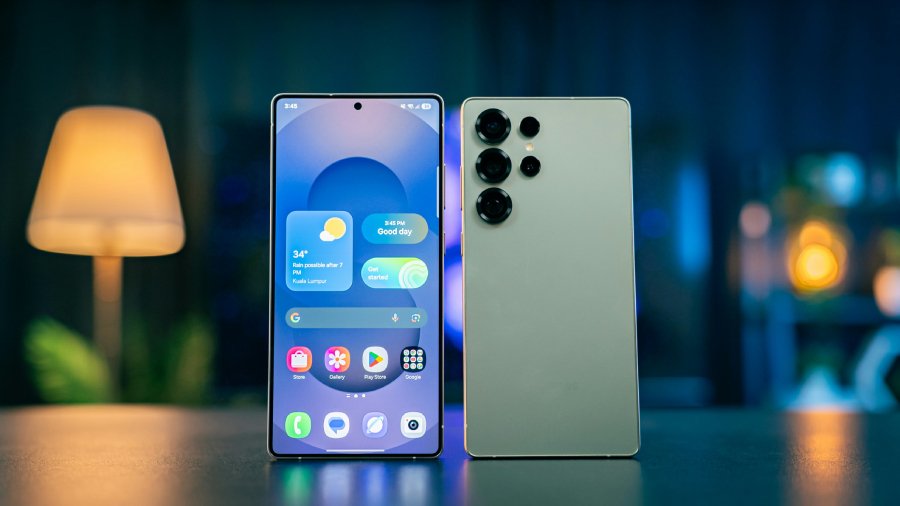
When Samsung launched the One UI 9.5 Beta for the Galaxy S26 series, the public notes were short. A static comparison between a Korean Galaxy S26+ on One UI 9.0 and the new Beta 1 build turned up 2,795 distinct change records inside the roughly 3.5GB download. About 91 percent of them, 2,548 changes, appear nowhere in the release notes.
Galaxy S26, S26+, and S26 Ultra owners in South Korea, the United States, the United Kingdom, India, Germany, and Poland can join through the Samsung Members app. Here is what the build contains.
Personalization
- Live depth wallpapers that react to how the phone moves
- Adjustable lock screen seconds, with duration counters from 10 seconds to 10 minutes
- Now Bar animations that celebrate goals and victories
- A Quick Settings search bar with multilingual support for managing tiles
Security and privacy
- Native App Lock, which puts individual apps behind a fingerprint or face check without third-party tools
- On the Galaxy S26 Ultra, a hardware Privacy Display that switches on automatically when you open locked apps or private Gallery albums
Camera and Gallery
- Core camera toggles gathered onto a single screen
- True focal lengths in millimeters in place of generic zoom multipliers
- Custom Pro mode presets and expanded Pro Video controls
- A Vulkan-accelerated tool in Gallery 16.0 for stylized square fisheye panoramas
Multitasking and stability
- Samsung DeX gets four-tiled window snapping and automatic picture-in-picture transitions
- Refinements to HEVC encoding, memory buffering, and playback error recovery on Exynos variants, which lay groundwork for future connectivity profiles
Installing the Security Update
Users in supported regions can pull the patch manually:
- Open Settings.
- Scroll down and tap
Software update. - Tap Check for updates.
- Check the download size and connect to stable Wi-Fi first.
- Tap Download and install.
Devices outside South Korea may not show the new build yet because the rollout is staged by region. IT teams should check the patch level each device reports after installing, so any terminal that missed the update stands out.
Hashlytics Take
Samsung’s patch and its beta share a trait: the headline numbers undersell what is actually inside. Seven of 24 Samsung fixes are described only vaguely for now, and 91 percent of the beta’s changes never made the notes. The second figure comes from a third-party firmware comparison, not from Samsung, so treat it as an estimate. Either way, release notes are not an inventory. Fleet managers who rely on them to know what changed on a handset are guessing, which is why checking the reported patch level on each device matters more than trusting the changelog.
Follow Hashlytics on Bluesky, Facebook, LinkedIn , Telegram and X to Get Instant Updates