The update may not appear on all eligible iPhones simultaneously, though Apple has confirmed September 14 as the official availability date. Newly launched devices, including the iPhone 18 Pro, iPhone 18 Pro Max, and iPhone Duo, will ship with iOS 27 pre-installed out of the box.
Who Actually Gets the AI Features
Apple has provided a broad compatibility list for iOS 27, and it’s a generous one. Models as old as the iPhone 11 series and the second generation iPhone SE are supported, which means a lot of people will see the update notification this week.
But installing iOS 27 and getting the full experience are two different things. Apple Intelligence and the new Siri AI require newer hardware, limited to iPhone 16 models and later, plus the iPhone 15 Pro and iPhone 15 Pro Max. Everyone else gets the update, just not the headline feature that comes with it.
A Few Things to Do Before You Tap Install
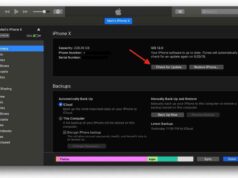
Apple recommends a short checklist before updating:
- Back up the iPhone via iCloud or a computer
- Confirm there’s enough free storage on the device
- Connect to Wi-Fi and keep the phone powered during installation
- Have your Apple Account password ready
- Check that essential apps, especially banking or work related ones, are updated once installation finishes
Siri Gets a Real Rework, Not Just a Refresh
The new Siri AI is built to understand natural language requests more accurately, which should translate into fewer misfired commands and more tasks actually completed on the first try.
iOS 27 also brings new AI powered photo editing tools, including Spatial Reframing and an improved Clean Up feature. Apple Maps picks up an enhanced Flyover experience, using aerial imagery and Visual Intelligence models to render more detailed views of locations.
The Health app rounds out the update with new capabilities, including support for perimenopause and menopause tracking within Cycle Tracking, alongside expanded GymKit functionality and other smaller health additions.
Follow Hashlytics on Bluesky, Facebook, LinkedIn , Telegram and X to Get Instant Updates