This transforms how you work with LLMs. You’re no longer limited to asking questions about static documents. You can now ask the model to analyze live data, pull information from custom systems, and execute specific queries on your behalf.
Setting Up Claude.ai
Adding an MCP server to Claude.ai is the quickest approach. The web interface keeps things straightforward.
- Look for the + menu button next to your chat prompt
- Select Add custom connector
- In the modal that opens, enter your MCP URL
- Configure authentication if needed (optional for unauthenticated servers)
- Confirm and save
Once connected, you can toggle the MCP on and off from Claude’s Connectors menu anytime. It’s that simple.
Setting Up ChatGPT
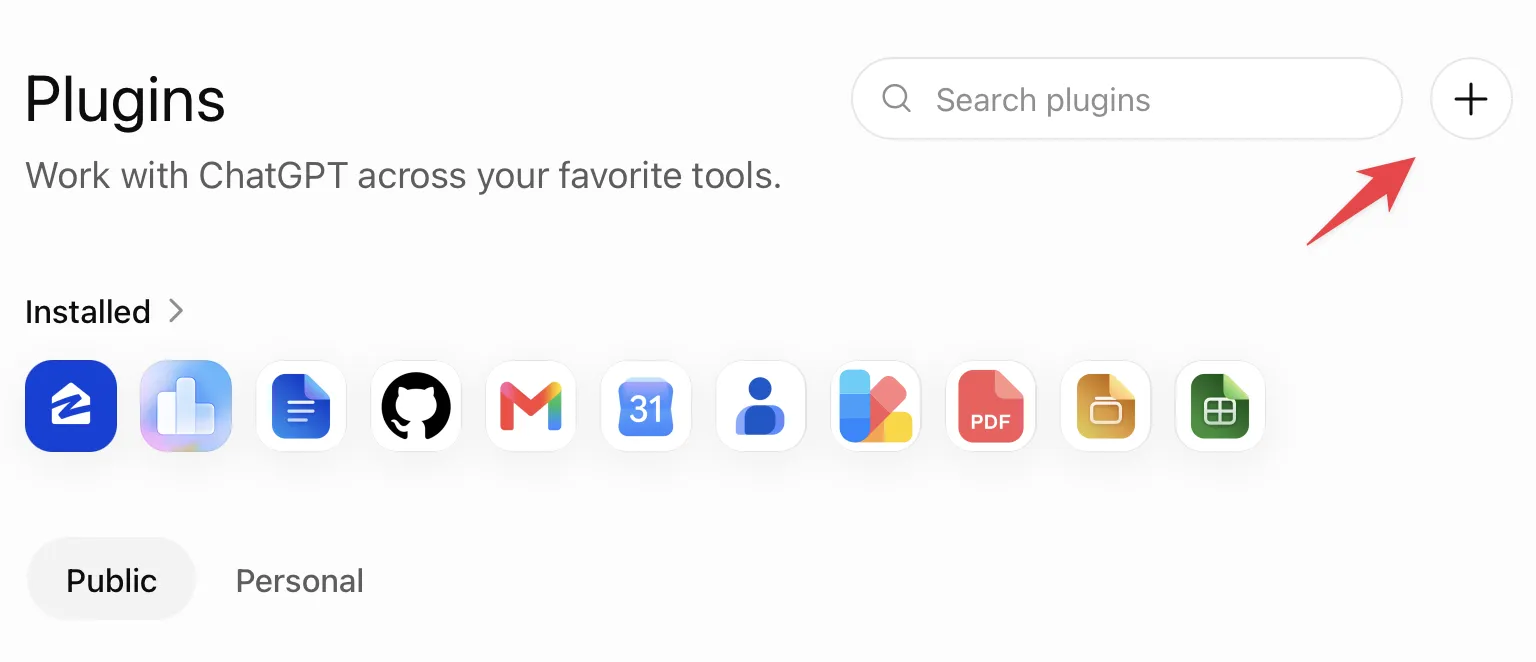
ChatGPT requires a few extra steps. The platform calls MCPs “Plugins” in its interface, and setup happens outside the main chat.
Step 1: Enable Developer Mode
- Go to your Security and login settings
- Enable Developer mode for your account
Step 2: Install the Plugin
- Navigate to the ChatGPT Plugins directory
- Click the + icon in the top right to open the “New Plugin” modal
- Paste your MCP URL
- Set authentication to No Auth if your server doesn’t require it
Step 3: Activate the Plugin
- In a chat, click the + icon next to your prompt
- Search for the MCP by name
- Select it from the results
- ChatGPT will prompt you to enable it on first use
What’s Not Yet Possible
Custom MCPs integrate successfully with both platforms, but there are real constraints worth knowing. ChatGPT’s Advanced Voice mode cannot access MCPs at all. This means you cannot drive an MCP purely through voice commands, even after setting it up in text chat.
This is a meaningful limitation for developers who want to use voice interfaces to query databases or trigger custom actions. For now, MCP work remains text-only.
The Bigger Picture
Custom MCPs represent a fundamental shift in how LLMs work. You’re moving from asking questions about static information to asking an AI to actively query and analyze your systems. Both Claude and ChatGPT now support this, but the implementations differ. Claude’s approach is cleaner for setup, while ChatGPT requires more configuration. Choose based on where you already spend your time.
Follow Hashlytics on Bluesky, LinkedIn, Telegram and X to Get Instant Updates