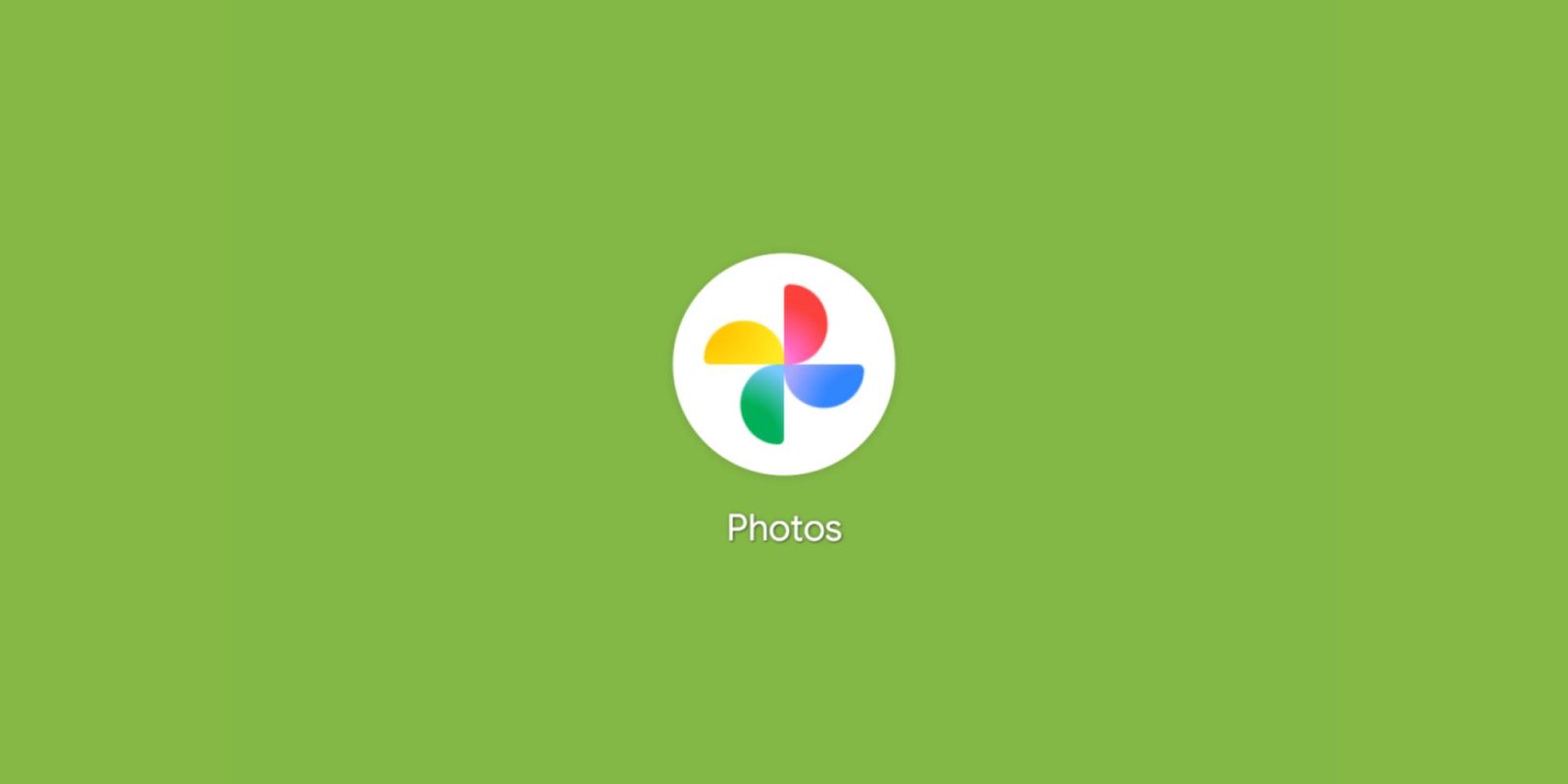
The Google Photos icon just got a makeover, and while it might seem like a minor tweak, it signals a bigger shift happening within Google’s design philosophy. The new gradient design, now rolling out on Android and iOS (version 7.55), aims to inject a dose of AI-driven energy into the familiar pinwheel. This change reflects Google’s increasing focus on integrating artificial intelligence into its products, moving beyond simple storage to offer intelligent photo editing and management tools.
But does it succeed? Or does it just look… faded? The answer to this question is subjective, but understanding the context behind the redesign helps to evaluate its effectiveness.
The core shape of the Google Photos icon — the rounded semi-circle pinwheel — remains unchanged. This recognizable shape, originally introduced several years ago, has become synonymous with the Google Photos service. The update introduces a gradient that radiates from the center, creating a subtle “glow” effect. It’s not a radical departure, but rather a refinement intended to align with Google’s evolving aesthetic. This subtle approach suggests Google’s intention to maintain brand recognition while subtly modernizing its image.
Google describes this “brighter hues and gradient design” as symbolizing the “surge of AI-driven innovation and creative energy” across the company. The goal is to stay “true to Google’s iconic four colors” while embracing a more modern look. These four colors – blue, red, yellow, and green – are deeply ingrained in Google’s brand identity and are intended to evoke a sense of familiarity and trust. By incorporating them into the gradient, Google aims to associate its traditional values with its forward-looking AI initiatives.
The update also brings the new icon to the top-left corner of the app bar, ensuring visual consistency throughout the Google Photos experience. This placement reinforces brand recognition and helps users quickly identify the app, regardless of where they encounter the icon within the interface.
This redesign isn’t just about aesthetics; it’s about signaling the AI-powered features that Google Photos has been steadily incorporating. From the conversational ” Help me edit ” feature to “Ask Photos” search and Remix, AI is becoming increasingly integral to the Photos experience. The “Help me edit” feature, for example, allows users to make complex edits using natural language, simplifying the photo editing process for casual users. The “Ask Photos” search allows users to search for specific images using conversational queries, leveraging AI to understand the context of their requests. And the “Remix” feature intelligently suggests creative edits and enhancements, further showcasing the power of AI in photo manipulation.
But the question remains: does a gradient truly convey the power of AI? One reviewer noted that the faded effect makes the icon look more like a nostalgic, worn-out photograph, which might not be the message Google is trying to send. This criticism highlights the challenge of visually representing abstract concepts like artificial intelligence. While gradients are often associated with modernity and technological advancement, they can also evoke feelings of nostalgia or decay, depending on their execution.
The Google Photos redesign is part of a broader trend within Google to refresh its icons with gradients. This follows similar updates to the ‘G’ for Google Search (which later went company-wide ), the Gemini spark, Google Home, and even Google Maps. This consistent design language across different Google products aims to create a more unified and cohesive brand experience. By adopting a similar aesthetic across its various services, Google seeks to reinforce its brand identity and create a sense of familiarity for users who interact with multiple Google products.
The shift towards gradients in Google’s icon design reflects a broader trend in user interface (UI) and user experience (UX) design. Gradients have become increasingly popular as a way to add depth, visual interest, and a sense of modernity to digital interfaces. They can be used to create subtle highlights, add dimension to flat designs, and evoke a sense of motion or energy.
However, the use of gradients in icon design is not without its challenges. Overly complex or poorly executed gradients can appear dated or distracting. It’s crucial to use gradients sparingly and strategically to enhance the overall design rather than detract from it. Furthermore, accessibility considerations must be taken into account. Gradients should not reduce the contrast between the icon and its background, as this can make it difficult for users with visual impairments to perceive the icon clearly.
Ultimately, the success of the Google Photos icon redesign will depend on how users perceive it. While some may find the gradient subtle and modern, others may find it faded or uninspired. However, the redesign serves as a reminder of Google’s ongoing commitment to innovation and its increasing reliance on artificial intelligence to enhance its products and services. The new icon, regardless of individual opinions, symbolizes Google’s vision for the future of photography – a future where AI plays an increasingly central role in helping users capture, organize, and share their memories. The design, although subtle, speaks volumes about the direction Google is headed.