Xbox Mode Rolls Out to Windows 11 Devices
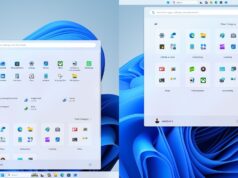
Microsoft has officially commenced the rollout of its Xbox Mode across all Windows 11 devices. This feature aims to provide a more streamlined, console-like environment for users, regardless of whether they are operating on desktops, laptops, or handheld tablets.
The company claims this interface is designed to make games the primary focus of the user experience. By minimizing background distractions, the software seeks to replicate the dedicated atmosphere typically reserved for home consoles. This rollout is currently occurring in select markets, with plans to expand regional availability over time.
Key Features and Functionality
The interface introduces several specific tools to bridge the gap between traditional PC gaming and console convenience. Users can expect a more intuitive navigation system that prioritizes their game libraries above standard desktop tasks.
Core features included:
- Controller-optimized interface for browsing and launching titles
- Seamless switching capabilities between the dedicated gaming environment and the standard Windows 11 desktop
- An aggregated library view that combines the full Xbox Game Pass catalog with locally installed games from various storefronts
Impact on Player Experience
For both existing and new users, this update represents a move toward greater flexibility. Players who prefer using a controller can now manage their collections without relying on a mouse and keyboard. This design choice aligns with Microsoft’s broader ambitions to optimize performance, which may eventually include targeting SteamOS environments.
The release follows recent updates to its ROG Xbox Ally X handheld, which introduced support for advanced features like Auto Super Resolution. These incremental improvements suggest that Microsoft is prioritizing software-level enhancements as it navigates a competitive market.
How to Access Xbox Mode
Xbox Mode is available in supported regions for devices running the latest Windows 11 updates. Here’s how to ensure you have access:
Step 1: Check for Windows Updates
- Open Settings on your Windows 11 PC
- Navigate to Windows Update
- Click Check for updates
- Install any available updates and restart your device
Step 2: Enable Insider Preview (Optional)
If Xbox Mode isn’t available yet in your region, you can opt into the Windows Insider Program to get early access:
- Open Settings → Windows Update
- Select Windows Insider Program
- Click Get started and link your Microsoft account
- Choose the Dev Channel or Beta Channel for early features
- Restart your device and check for updates again
Step 3: Launch Xbox Mode
Once the feature is available on your device, you can access it through the Xbox app or dedicated system controls. Microsoft is expected to provide specific launch instructions as the rollout expands.
At a Glance
| Detail | Information |
|---|---|
| Feature Name | Xbox Mode for Windows 11 |
| Developer | Microsoft |
| Platforms | Windows 11 PCs, laptops, tablets |
| Availability | Rolling out now in select markets |
| Requirements | Latest Windows 11 update |
Follow Hashlytics on Bluesky, LinkedIn , Telegram and X to Get Instant Updates