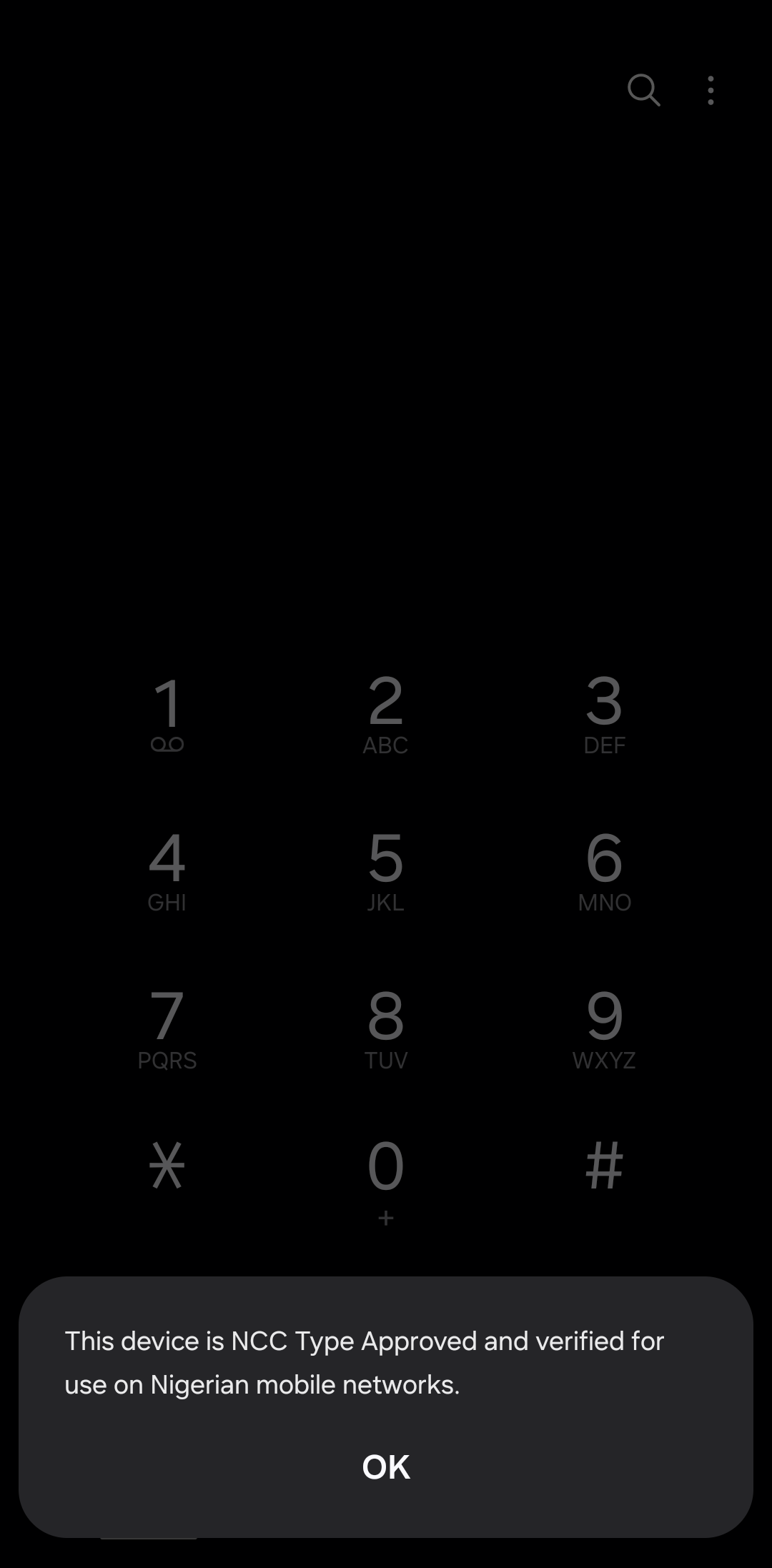
The rollout has prompted questions after many users received a message confirming that their devices were NCC Type Approved and verified for Nigerian networks. That response is consistent with the commission’s guidance: devices already connected to Nigerian mobile networks before the effective date were automatically verified. A successful result therefore does not mean the checker is unnecessary or that every phone in the country has been independently inspected.
Why Did the NCC Introduce the *315# Checker?
According to the NCC’s official guidance, the service helps consumers establish whether a device model has received regulatory Type Approval and whether a particular device is verified for use on Nigerian mobile networks.
Type Approval is an existing regulatory requirement, not a new obligation created by the USSD code. It establishes whether communications equipment meets the commission’s applicable technical standards. The updated enforcement framework adds device-level verification intended to help identify non-compliant equipment, cloned identifiers and devices that should not access local networks.
The initiative covers more than smartphones. Eligible cellular tablets, feature phones, SIM-enabled laptops, connected Internet of Things devices and SIM-enabled point-of-sale terminals also fall within its scope.
What Do the Different Results Mean?
The NCC advises consumers to look for confirmation that a device is both Type Approved and verified for Nigerian mobile networks. Depending on the device and its verification status, users may encounter different outcomes:
- Type Approved and verified: The device has the required approval status and is verified for use on Nigerian mobile networks. This is the result shown in the screenshot circulating among users.
- Additional verification required: The system may request another step, particularly when checking a previously owned device suspected of having a cloned or fake identity. Follow the official instructions or contact the NCC for assistance.
- Not verified or unable to verify: This requires clarification. It does not, by itself, establish that a phone is counterfeit. Buyers should ask the seller to resolve the issue before paying, while existing owners should contact their service provider or the NCC.
The commission’s public guidance does not provide a complete catalogue of every possible on-screen response. Users should follow the message actually displayed rather than assume that every unsuccessful check means a phone is fake.
Will the NCC Block Phones That Fail Verification?
Devices confirmed to be non-compliant could lose access to Nigerian mobile networks under the enforcement framework. Reporting on the rollout says devices that fail the verification process risk disconnection after 30 cumulative days, although the applicable procedure depends on the device and its circumstances.
Existing users are not being told to replace their phones simply because the new system has launched. The NCC says devices connected to local networks before October 7 were automatically verified. International visitors using foreign SIM cards through international roaming are also exempt from the stated verification requirement.
For phones brought into Nigeria from abroad for use with a Nigerian SIM, different procedures may apply. The NCC says an eligible device that has never previously connected to a Nigerian network may be used for up to 30 cumulative days within a one-year period before verification is required. Personal imports can involve additional checks, so travellers should confirm their circumstances directly with the commission.
How to Check a Phone and What It Does Not Prove
Consumers can dial *315# and follow the prompts, visit the official NCC Device Checker, or call 315 for assistance. To check another device, users may need its 15-digit International Mobile Equipment Identity (IMEI), which can usually be displayed by dialling *#06#.
The checker can help buyers avoid devices that lack the required approval or verification. It can also support efforts to identify cloned IMEIs and improve compliance across mobile networks. However, it is not a complete authenticity test. A positive result does not guarantee that every component is original, that the phone has never been repaired, or that its software and physical condition are satisfactory.
The NCC says the system uses device identifiers, including IMEI numbers, for verification. It does not give the commission access to personal messages, photographs or other files stored on a phone, nor does it enable the commission to track a user’s physical movements.
Our Take: The widespread positive results make sense if many devices were already connected to Nigerian networks before the new framework began. The real test will be whether the checker helps buyers identify problematic devices before handing over their money, while giving legitimate owners a clear way to resolve incorrect or inconclusive results. Nigerians should verify before purchasing, but they should not interpret an unfamiliar response as proof of a counterfeit phone.
Follow us on Bluesky, LinkedIn, X, and Telegram to Get Instant Updates