Digital Keys at Risk Without Play Services Update
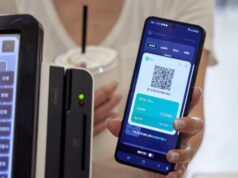
Samsung Wallet recently expanded its functionality to include digital keys for smart door locks, complementing its existing support for storing digital car keys. However, according to Samsung’s notifications, users must update Google Play Services to the latest version to continue accessing these features. Without the update, the digital key capability may stop working entirely on older Play Services versions.
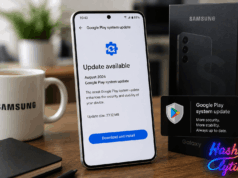
The company is being proactive in warning users through in-app notifications that direct them to the Play Store listing for Google Play Services. While the app typically updates automatically, some devices may require manual installation of the latest version.
How to Update Google Play Services on Galaxy Devices
Updating Play Services takes just a few minutes through your device’s settings menu.
- Open
Settingson your Galaxy device - Navigate to
Google services - Tap
All services - Locate
System servicesunder the Privacy and security section - Tap
System servicesto check for pending updates - If an update is available, install it
- Restart your device when prompted to ensure the update applies
Note: You may also see the notification in the Play Store app itself. Alternatively, you can navigate directly to the Play Store listing for Google Play Services and tap the install button if updates are pending.
Understanding Play Services Versus System Updates
It’s important not to confuse Google Play Services with Google Play system updates. Play Services handles Google apps, location services, and app notifications across your device. System updates, by contrast, ensure core Android features like Theft Protection receive the latest security and functionality patches.
Both are essential, but they operate independently. A device can be fully up to date on system updates while still running an older version of Play Services, which is why Samsung’s targeted notification campaign matters for Samsung Wallet users specifically.
Why This Matters for Samsung Wallet Users
Samsung Wallet serves as a comprehensive alternative to Google Wallet, storing digital payment cards, government IDs, vital documents, and functioning as a password manager. The addition of smart door lock key support expands its utility beyond vehicle access.
If Play Services falls behind, users risk losing access to these digital keys entirely, potentially locking them out of their vehicles or homes. Samsung’s proactive notification approach ensures users don’t discover this incompatibility the hard way.
What Comes Next for Galaxy Users
Samsung users should prioritize this update immediately if they rely on digital keys through Samsung Wallet. Even if you’ve received the notification multiple times, it’s worth verifying your Play Services version is current. The update process is straightforward and takes minimal time, but the consequences of skipping it are significant for anyone using Samsung Wallet’s key features.
Follow Hashlytics on Bluesky, LinkedIn , Telegram and X to Get Instant Updates