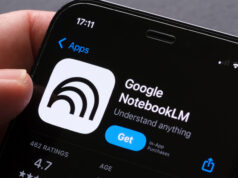
This isn’t an incremental feature. It signals Google’s move to position Gemini Notebook as research infrastructure, not an experiment. The update integrates the tool tighter with the broader Gemini ecosystem while keeping it standalone. That matters because it means this capability will eventually spread across Google’s entire AI platform.
What Changes With Code Execution
The new secure cloud computer lets Gemini Notebook generate and run code within your notebooks, grounded in whatever sources you uploaded. Previously impossible workflows are now straightforward: analyzing financial data embedded in PDFs, processing datasets from research papers, running statistical models against lecture recordings.
This isn’t about replacing traditional development environments. It’s about removing friction from research. A student no longer needs to manually extract data from a PDF, load it into Python, and write scripts. They ask a question. The AI writes the code. It runs. They get results with citations back to source material.
Google reports over 30 million people and 600,000 organizations already use Gemini Notebook, though the company hasn’t disclosed how many are students, how many actively use it, or paying subscriber numbers. That scale matters because it means this capability reaches researchers and teams immediately upon rollout.
Getting Started With Code Execution
Access Gemini Notebook from the Gemini app or visit the standalone product at notebooklm.google.com. Both now sync in real time, so your work stays synchronized across devices.
- Open Gemini Notebook in the Gemini app or at the standalone web product
- Create a new notebook or open an existing one
- Upload sources by selecting Add sources. Supported formats: PDFs, websites, YouTube videos, audio files, Google Docs, Google Slides
- Ask a question about your sources in the chat interface
- If code execution is enabled on your account, Gemini Notebook offers to generate and run code for computational analysis
- Review the code output and analysis, which cites back to original sources
Important: Data uploaded through organization or school accounts is never used for training Gemini Notebook. For personal accounts, Google states data isn’t used for training unless you explicitly share feedback.
Access Tiers and Rollout Timeline
| User Type | Current Access | Timeline |
|---|---|---|
| Google AI Ultra subscribers | Available now | Immediate |
| Workspace customers (AI Ultra/Expanded Access) | Available now | Immediate |
| Pro plan users | Not yet available | Rolling out over coming weeks |
| Free users | Not announced | No timeline provided |
Google hasn’t specified which programming languages the cloud computer supports or disclosed processing limits. Those details will likely emerge as more users access the feature.
For Google Workspace customers, Gemini Notebook and Audio Overviews now roll across all plan tiers. That means organizations can immediately deploy this for financial document analysis, training material organization, and meeting preparation from internal research.
Why This Matters for Different Users
Students: Build research notebooks from lecture recordings, textbooks, and papers. Ask the AI to explain concepts, generate practice examples, or convert notes into audio or video summaries.
Business teams: Analyze financial documents at scale, create onboarding materials from training manuals and policies, prepare strategic plans grounded in product specifications and internal research.
Researchers: Process datasets and run statistical models without leaving the notebook environment. Results tie directly to sources, making citations and reproducibility built in from the start.
After Your First Analysis
Once code executes against your sources, Gemini Notebook keeps a complete record within your notebook. You can refine analysis, ask follow-up questions, and share the entire notebook with collaborators. The sync between app and web means your team works from the same document regardless of platform.
Google plans to integrate notebooks into AI Mode in Google Search, though no launch date has been announced. That integration would let you search for information and immediately begin analysis within Gemini Notebook, creating a continuous research workflow from discovery to computation.
What This Signals
The rebranding from NotebookLM to Gemini Notebook and this code execution rollout represent Google’s clear bet that research tools are becoming core infrastructure. By integrating with the Gemini app, Workspace, and eventually Search, Google is embedding analysis capabilities across its entire ecosystem.
For paid users, this is available today. For free and Pro users, the rollout begins now. Whether code execution eventually reaches free tiers remains unanswered. That question will determine how broadly this capability shapes research workflows across education and organizations.
Follow Hashlytics on Bluesky, LinkedIn, Telegram and X to Get Instant Updates