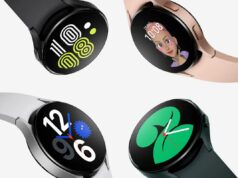
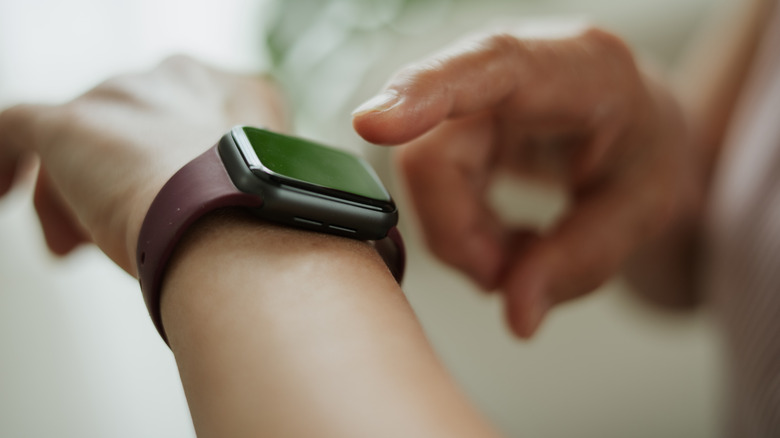
Most of these take a few minutes and need no extra hardware. Two things apply to all of them: keep the watch paired to your phone, and check that its battery still holds a reasonable charge before you commit it to a daily role. If none of the five fits, the last section covers selling or trading it in safely.
1. Make it a dedicated AI assistant
If you already use Gemini or ChatGPT, an old watch can sit on your wrist as an always-ready assistant, so quick questions no longer mean pulling out your phone.
On Wear OS 4 or later, Gemini is the native option:
- Make sure Gemini is installed and up to date on the watch
- Turn on voice activation, then say “Hey Google” to get a response
- Or press and hold the side button for hands-free use
On Samsung watches you can remap the side button: open Settings > Button and gestures > Double press, scroll to Gemini and select it. On Apple Watch, raise your wrist and say “Hey Siri”, or press and hold the Digital Crown.
For ChatGPT, the options depend on the platform. The Wrist AI app puts both ChatGPT and Gemini on Apple Watch, though its free tier limits daily chats. On Wear OS, the WristAssist app brings ChatGPT to the wrist, but it has been removed from the Play Store, so you will need to sideload it. It also needs a free OpenAI API key, and API usage is charged.
2. Turn it into a voice notepad
Every smartwatch can record audio, and modern AI transcription makes that far more useful than typing on a phone. When an idea hits, raise your wrist and talk.
On Apple Watch, say “Hey Siri” and then “Record a voice memo”. Samsung watches with built-in speech-to-text can transcribe directly on the watch, with a cap of 10 minutes per recording. Both Wear OS and Apple Watch sync recordings to your phone automatically, so a note captured on a morning walk is waiting on your phone by the time you get home.
3. Dedicate it to sleep tracking
If your main watch needs charging every night, the old one can take the night shift. Charge the old watch during the day, wear it to bed, and let the main one charge overnight.
- Apple Watch: open the Health app on your iPhone, go to the Sleep section, and turn on
Track Sleep with Apple Watch
- Galaxy Watch: connect the watch to your phone, open the Sleep tile and follow the prompts
Keep expectations realistic. Sleep sensors vary by model and age, and older watches tend to be less accurate than current flagships. Treat the numbers as a trend to watch, not a clinical reading, and see a doctor if the data worries you.
4. Set it up as a kid’s watch
An LTE or cellular watch can give a child calls, texts and location sharing without handing them a smartphone.
Samsung’s Kids mode, available on LTE Galaxy Watch 6 and later, covers location tracking, calls and texts, app approval, School Time restrictions and Google Family Link integration. Apple’s equivalent is Apple Watch for Your Kids, supported on Series 4 or later with cellular, and on SE with cellular running watchOS 7 or later. Both platforms offer a School Time mode that limits the watch during class hours while keeping emergency access.
Before you start, check the carrier side. Cellular features need a plan with a monthly fee, and not every carrier supports standalone calling from a smartwatch.
5. Sell or trade it in
If none of the above suits you, the watch probably still has resale value. There are three routes, each trading payout against effort:
- eBay: the highest payout, but you handle the listing, photos, pricing, shipping and fees
- Buyback services such as Greenbuyback: an instant quote, inspection and payment within 24 hours to five business days, at a lower price
- Trade-in programs such as Best Buy or Apple Trade In: store credit at lower valuations, but the least hassle
Whichever you pick, wipe the watch first. On Apple Watch, unpairing from your iPhone erases it automatically. On Wear OS, sign out of all accounts and factory reset from Settings. Do this before the watch leaves your hands.
Follow Hashlytics on Bluesky, Facebook, LinkedIn , Telegram and X to Get Instant Updates