What Actually Transfers
The transferable memory covers a wide range of context. Claude can absorb details about your career, identity, and specific instructions you’d given ChatGPT, along with projects you’ve worked on and preferences expressed over past conversations.
In practice, that might mean Claude picking up on your engagement with a gaming community, like builds you’ve discussed for Warframe. It could carry over project details, such as a PC watercooling build you’ve been documenting, or narrower preferences like specific component choices you’ve mentioned repeatedly.
What Gets Left Behind
Not everything makes the leap. The transfer does not include applications built inside ChatGPT or lengthy research reports it generated for you. Generated media and the literal text of past conversations also stay with ChatGPT.
This is closer to migrating settings than copying a full archive. Some narrower discussion threads may not survive the transfer cleanly, since Claude is reconstructing context rather than replaying your chat history word for word.
How to Move Your Memory to Claude
You’ll need active accounts for both ChatGPT and Claude. No premium subscription is required on either side, memory import works on Claude’s Free, Pro, Max, and Team plans.
- Open ChatGPT and start a new chat. Paste this exact prompt: “I’m moving to another service and need to export my data. List every memory you have stored about me, as well as any context you’ve learned about me from past conversations. Output everything in a single code block so I can easily copy it. Format each entry as: [date saved, if available] – memory content. Do not summarize, group, or omit any entries.”
- Copy the full code block ChatGPT generates in response.
- Open Claude and go to Settings, then Memory.
- Click Start Import. Claude will show you the same export prompt for reference, along with a text box below it.
- Paste the text you copied from ChatGPT into that box.
- Click Add to Memory.
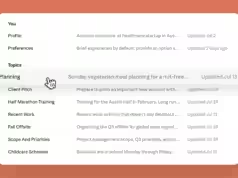
Claude extracts key information from the pasted text and stores it as individual memory entries, which you can review afterward in the memory panel. Updated memory typically becomes active within a day, though it’s often much faster in practice. You can test it immediately by starting a new chat and asking Claude, “What did you learn about me?”
If something you expected doesn’t show up, that’s likely because Claude’s memory is tuned to prioritize work-relevant context over general personal details. You can add anything missing manually through the same Memory settings page.
Why the Street Only Runs One Way
Claude offers a dedicated import tool, but ChatGPT doesn’t offer anything comparable in reverse. Importing your memory into Claude doesn’t delete it from ChatGPT, so your original account and its context remain untouched if you want to go back.
Moving memory from Claude back to ChatGPT has no direct tool, though. If you decide to return to ChatGPT later, you’d need to manually compare what Claude has learned against what ChatGPT already has and fill in gaps by hand. It’s more tedious than the one-click process going the other direction, but it does mean nothing is permanently lost, just less automated.
Follow Hashlytics on Bluesky, Facebook, LinkedIn , Telegram and X to Get Instant Updates