Shutdown Control Now Works as Expected
The new feature is live in Windows 11 Build 26300.8289 and fundamentally changes how the Power menu behaves. When you click shutdown or restart, Windows will now honor that choice instead of automatically installing pending updates. Previously, Windows 11 would ignore “Shut down” and “Restart” commands to force-install important security updates, especially if they had been pending for an extended period.
Testing confirms the Power menu now displays four distinct options: Shut down, Restart, Update and shut down, and Update and restart. Users can select shutdown or restart without triggering any background installations. This change is about making the Power menu more predictable, so when you need a quick restart or want to power off before heading out, Windows does exactly what you expect,
Microsoft noted in an official document.
Broader Update Control Improvements
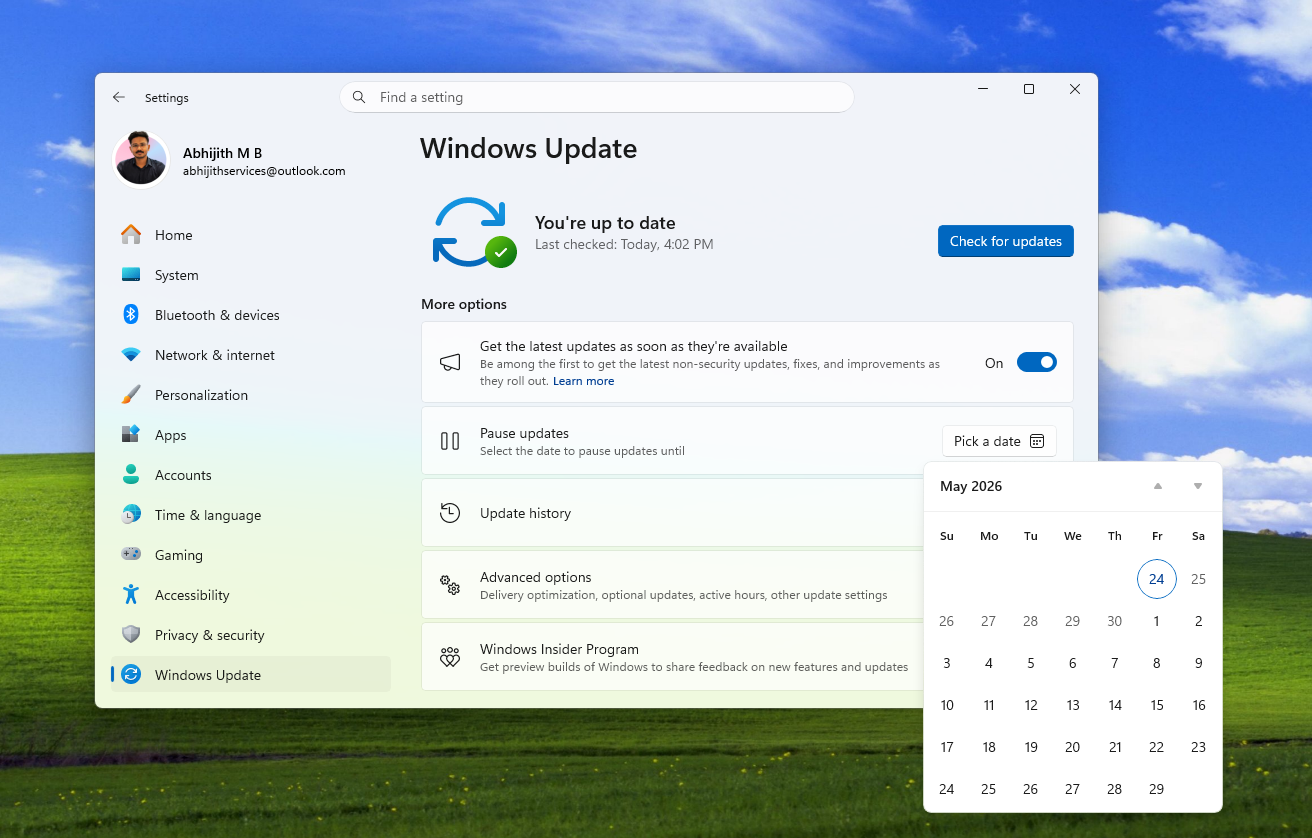
This shutdown fix is part of a larger initiative to give users greater control over Windows updates. Microsoft has also implemented extended pause controls allowing users to defer updates for up to 35 days, with the ability to select any specific day within that window using a calendar view. After the 35-day period expires, users can extend the pause indefinitely, effectively giving them unlimited postponement options.
Additionally, Microsoft recently patched a long-standing bug where clicking “Update and shut down” would restart instead of shutting down the computer. That fix rolled out in October 2025 and is now available to all users.
Why This Matters for Windows Users
Windows update behavior has become a cultural flashpoint for users frustrated by forced installations during critical moments. Business professionals and travelers frequently encountered scenarios where pausing updates made no difference, as Windows would still install critical security patches regardless of user preference. This new control directly addresses that pain point.
Microsoft is also reducing download sizes and streamlining the installer process to make updates less disruptive overall. The company appears to be striking a balance between security (by still offering update options) and user autonomy (by respecting shutdown commands).
Limited Rollout for Now
The shutdown control feature remains exclusive to the Windows Insider Program and has not yet rolled out to the general Windows 11 user base. Microsoft is continuing to test the Power menu changes before a wider release, though the “Update and shut down” bug fix is already available to everyone.
These changes signal Microsoft’s acknowledgment that forced updates damage user trust. Whether the company will extend this control philosophy to other aspects of Windows 11 remains to be seen, but the current trajectory suggests a genuine shift toward respecting user preferences over aggressive update enforcement.
Follow Hashlytics on Bluesky, LinkedIn , Telegram and X to Get Instant Updates