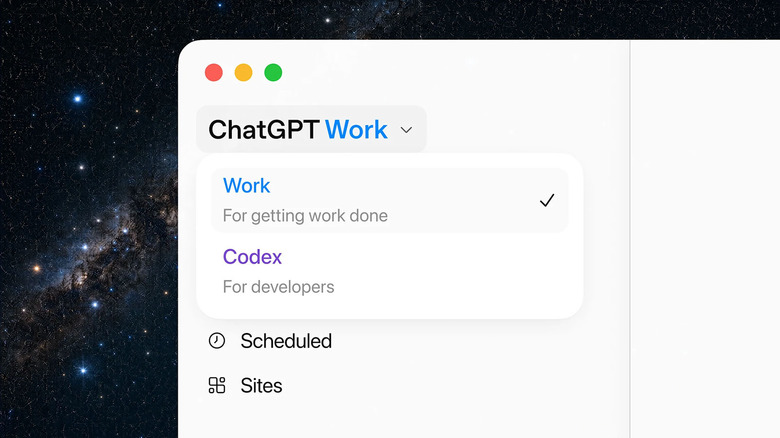
What Is ChatGPT Work
ChatGPT Work integrates OpenAI’s core technologies to assist with broad productivity challenges, moving well beyond specialized tools like the Codex coding agent. Powered by GPT-5.6 models, it combines conversational AI with advanced capabilities to manage and execute work assignments across your devices.
Unlike Claude Cowork, which focuses specifically on file and task automation for non-developers, ChatGPT Work positions itself as a broader productivity layer that can handle everything from scheduling tasks to generating web applications. OpenAI frames it as a collaborative agent where you maintain full control over what it can access and when it needs your approval.
Who Can Access It
The rollout is underway with anticipated completion within 24 hours. Access depends on your account type:
| Account Type | Available On |
|---|---|
| Free Users | ChatGPT desktop app (Mac and Windows) |
| Plus & Pro Subscribers | Desktop app and web client |
Five Ways to Use ChatGPT Work
1. Schedule Tasks Remotely
Start a task from your phone and let ChatGPT Work execute it in the background. Track progress through your browser or desktop app when you return to your desk. This asynchronous workflow lets you queue work without waiting for completion.
2. Connect Your Apps
Use the unified plugin directory to integrate ChatGPT Work with your existing tools. Type @ followed by an app name in your prompt to direct ChatGPT to access or pull context from that application. The tool also suggests relevant apps during conversations.
3. Automate Routine Busywork
Combine task scheduling with app integration to eliminate repetitive work. OpenAI’s example: ChatGPT Work can monitor Slack updates and generate weekly message summaries automatically. Apply this pattern to any recurring task across your connected apps.
4. Build Internal Tools
Use the Sites feature to generate web applications directly within ChatGPT Work. Create live dashboards, project trackers, launch calendars, interactive reports, and internal portals without writing code. Useful for quick prototypes and team-facing tools.
5. Maintain Control
You decide what ChatGPT Work can access, when it checks in, and which actions require your approval. This control mechanism ensures a secure, personalized experience and prevents the agent from making unauthorized changes.
What’s Changing
OpenAI plans to discontinue its Atlas web browser, with a target deprecation date of August 9. More details are expected to follow.
ChatGPT Work signals OpenAI’s strategy to keep users within its ecosystem by offering broad productivity features. It competes directly with Claude Cowork’s task automation approach while casting a wider net across writing, coding, research, and app building. For users comfortable with OpenAI’s ecosystem, it’s a compelling alternative to juggling multiple specialized tools.
Follow Hashlytics on Bluesky, LinkedIn , Telegram and X to Get Instant Updates