What You Need to Know
This is the initial public beta following three developer beta iterations, meaning it’s relatively stable but still a preview. If you’re enrolled in Apple’s beta program, iOS 27 is now ready to install on compatible iPhones. Just remember: some of the most interesting features won’t work if you’re in the EU or China.
The 8 Features Worth Trying
1. Smarter Siri
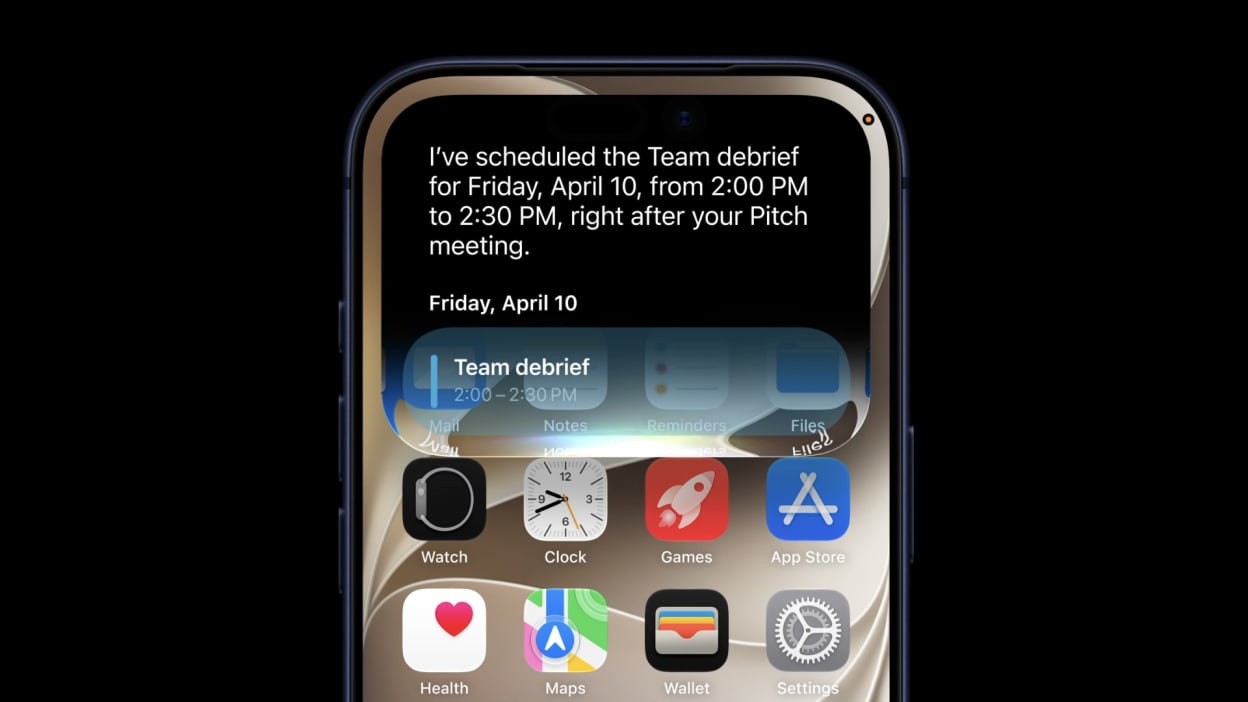
Siri gets a major upgrade with expanded AI capabilities. The assistant can now search through your documents, emails, and photos on device. It answers questions about what’s currently on your screen, provides general knowledge answers, and recommends nearby places and activities. Setup is simpler too, and you can create home automations with basic voice commands. Available via voice, side button hold, or Dynamic Island swipe down.
2. Visual Intelligence with Your Camera
Point your camera at something and get instant information from Siri. Split restaurant bills, check business hours, identify plants and animals, and more. Access it by holding the Camera Control button, or through Control Center, Action button, or Lock Screen on compatible iPhones.
3. Smarter Shortcuts
Instead of building shortcuts from scratch, describe what you want to do in natural language. iOS 27 automatically creates the shortcut for you. This makes automation accessible to everyone, not just power users familiar with the Shortcuts app.
4. AI-Powered Photo Cleanup
The new photo editing tools live under “Tools” in the editing interface. Clean Up removes unwanted objects with a tap. Extend uses AI to intelligently add content around image borders. Reframe lets you adjust perspective after the photo is taken. All processing happens on device.
5. Photorealistic Image Generation
Image Playground has leveled up beyond just creating cartoons. It now generates photorealistic images that you can fine-tune with additional prompts. Useful for everything from marketing assets to creative projects.
6. Enhanced Child Safety Controls
Apple completely revamped how parents manage device access. The new setup is simpler, with more granular control over specific apps and websites. Communication Safety can intervene before kids view inappropriate content in messages or FaceTime. Parents can set time allowances by category (Entertainment, Games, etc.) or pause the device entirely.
7. AirPods EQ Controls
Fine-tune your audio with detailed equalizer settings for AirPods. Go to Settings > Bluetooth when your AirPods are connected to access the new EQ controls.
8. Liquid Glass Adjustment
Control the clarity and appearance of UI elements through Settings > Appearances. This gives you more visual customization options without changing the overall design language.
The Regional Limitation You Should Know
The most advanced AI features, including Siri AI and Visual Intelligence, are currently unavailable in the EU and China. This stems from ongoing regulatory disputes with European authorities. Apple hasn’t provided a timeline for when or if these features will become available in those regions. If you’re in a restricted area, you’ll still get the other improvements, but you’ll miss out on the AI-focused enhancements.
How to Get It
If you’re enrolled in Apple’s beta testing program, iOS 27 is available now for compatible iPhones. If you’re not yet enrolled, you can sign up at beta.apple.com. Be prepared for occasional bugs and issues that come with beta software, and always back up your device before installing.
Follow Hashlytics on Bluesky, LinkedIn , Telegram and X to Get Instant Updates